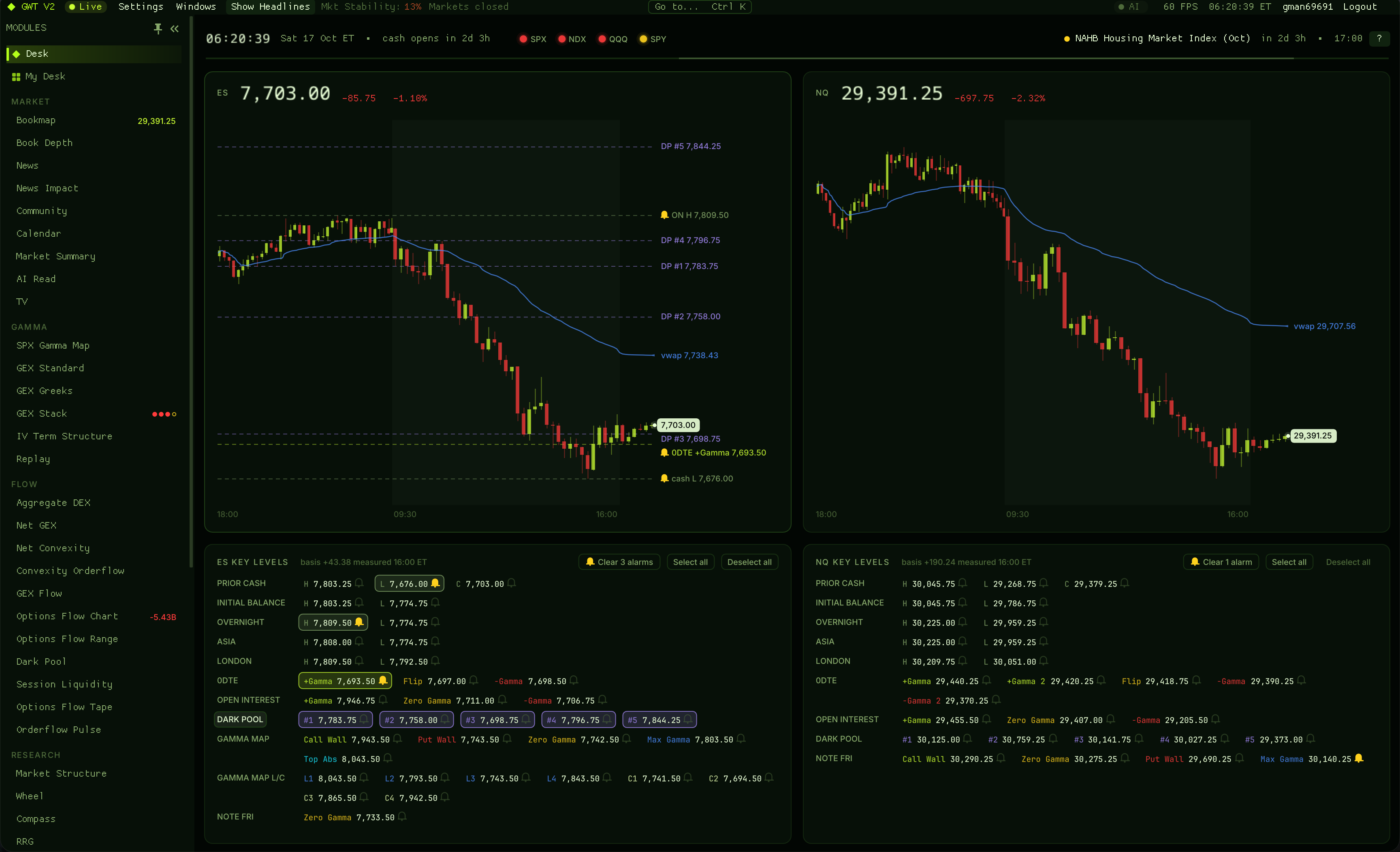
Start the session with gamma, VWAP and key ES/NQ levels together on one screen.
We’re also an API provider, so you can analyze the market with your own AI agents.

Use any trading platform you like. GWTRADE runs independently, and you can also connect it to ATAS
Works on macOS, Windows and Linux.
Click the image to scroll all the features…
Start the session with gamma, VWAP and key ES/NQ levels together on one screen.
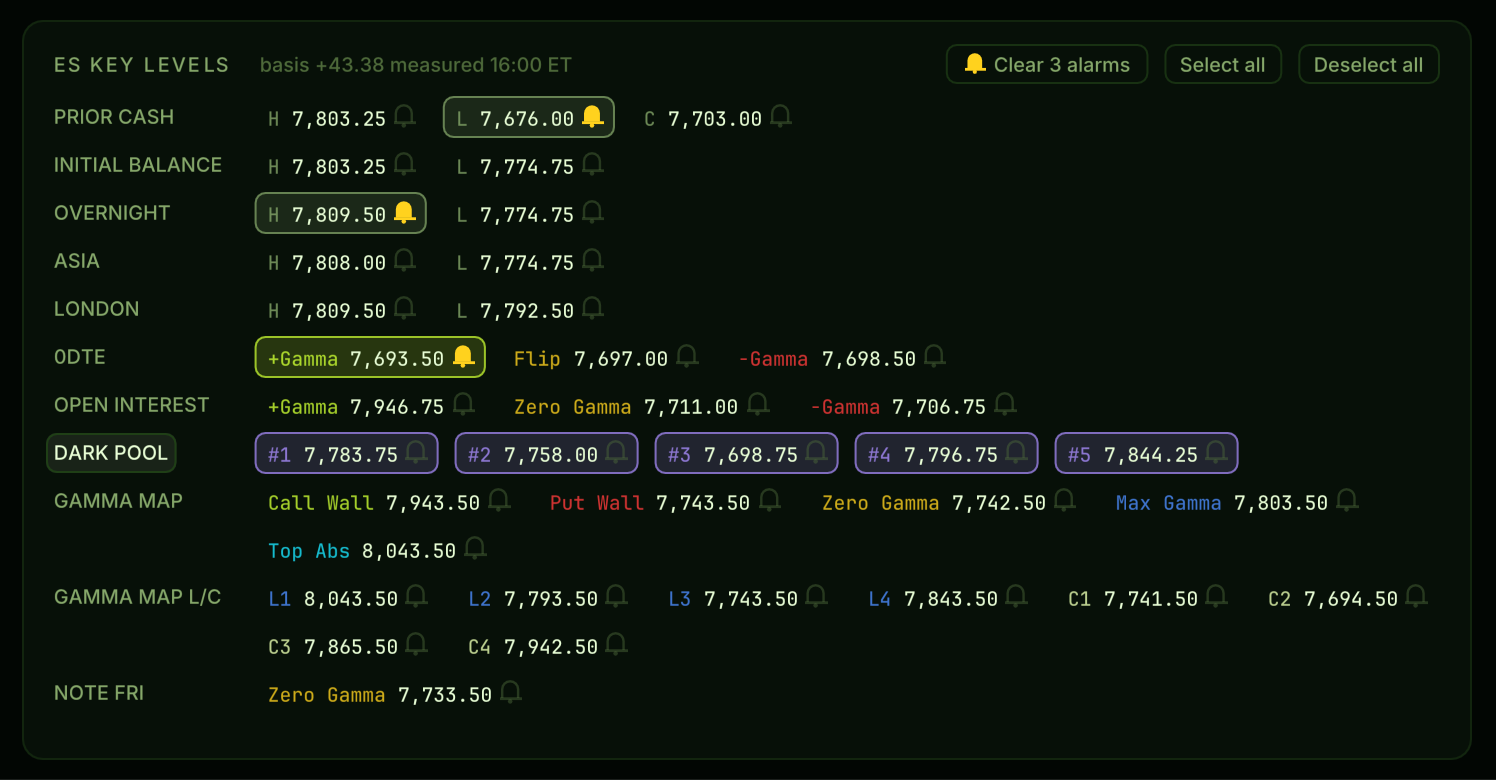
Stay focused with key-level alerts in-app and on your phone while the terminal is open.
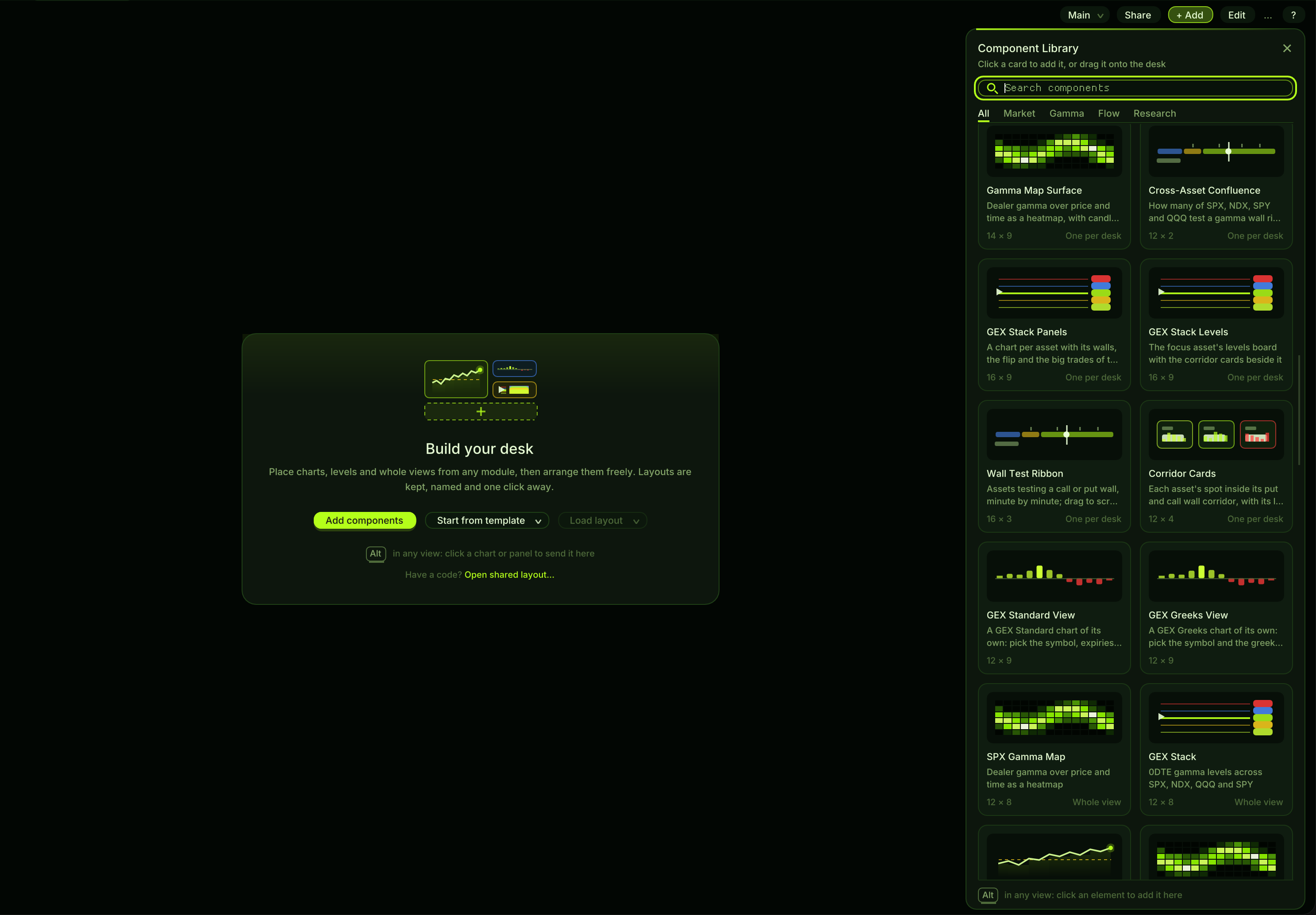
Build a workspace around your process with drag-and-drop charts, levels and widgets.
See where resting orders meet traded volume as price moves through the heatmap.
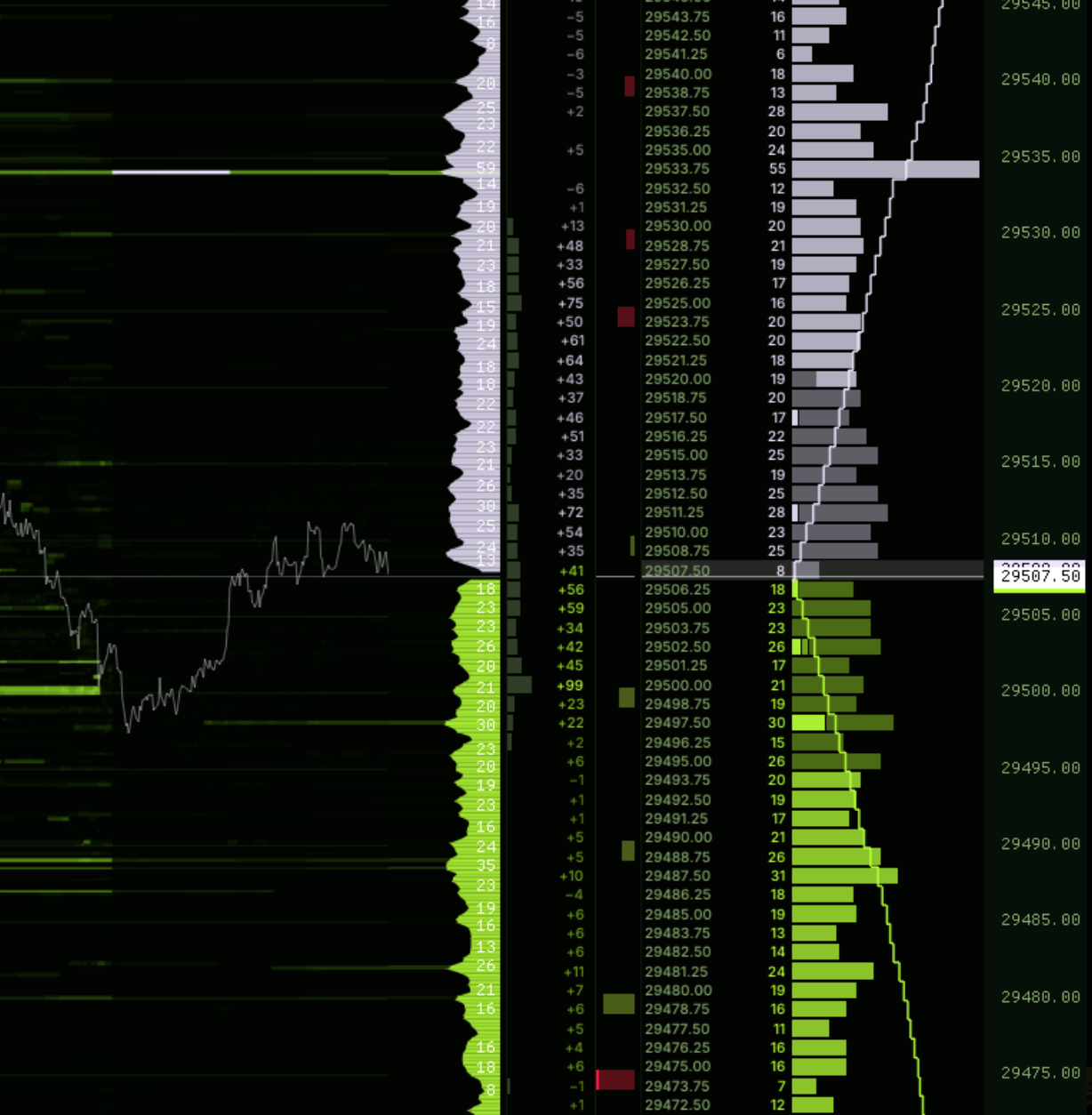
Read price alongside the order-book ladder and depth profiles without switching views.
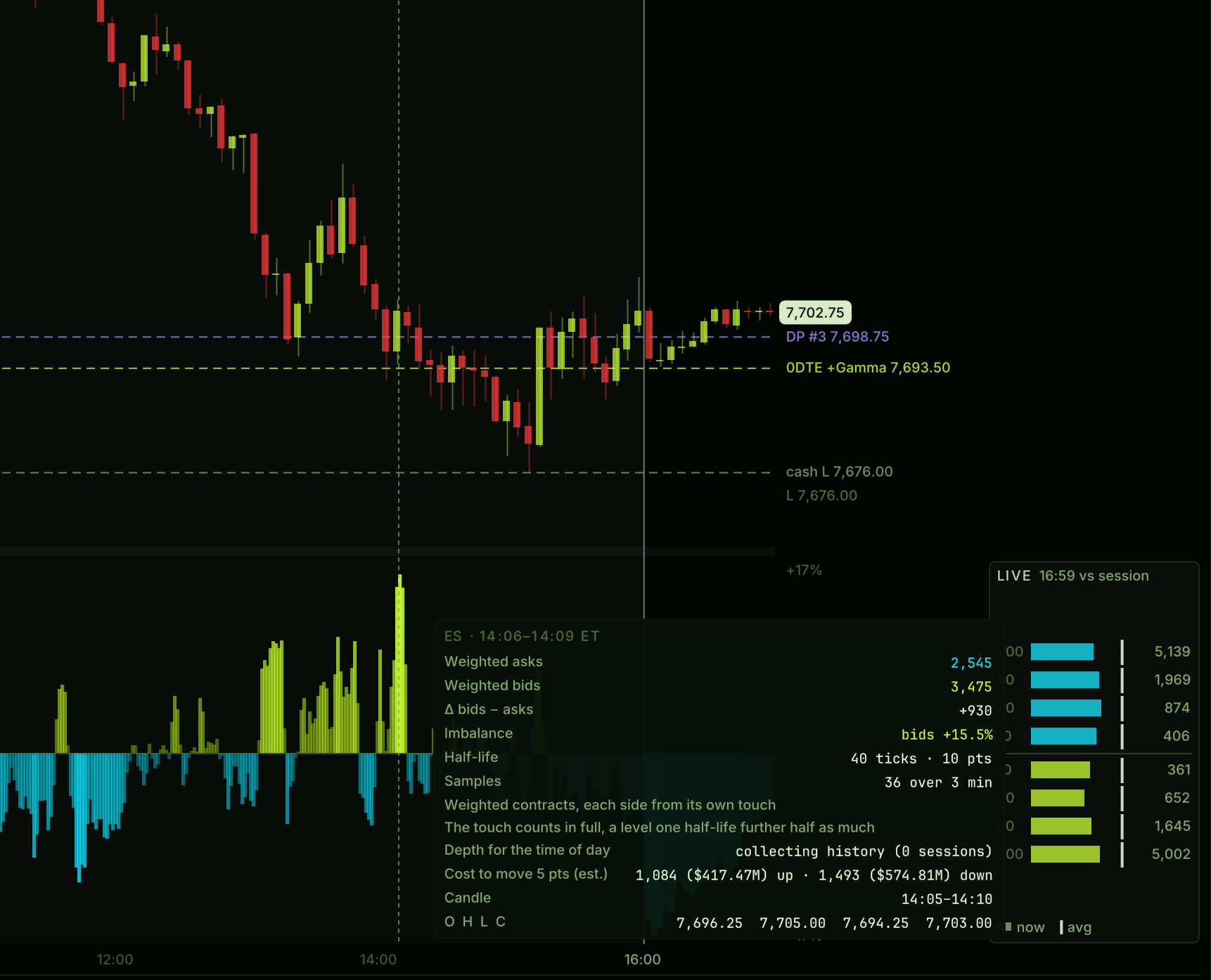
Put today’s ES/NQ liquidity in context with bid/ask imbalance and historical depth.
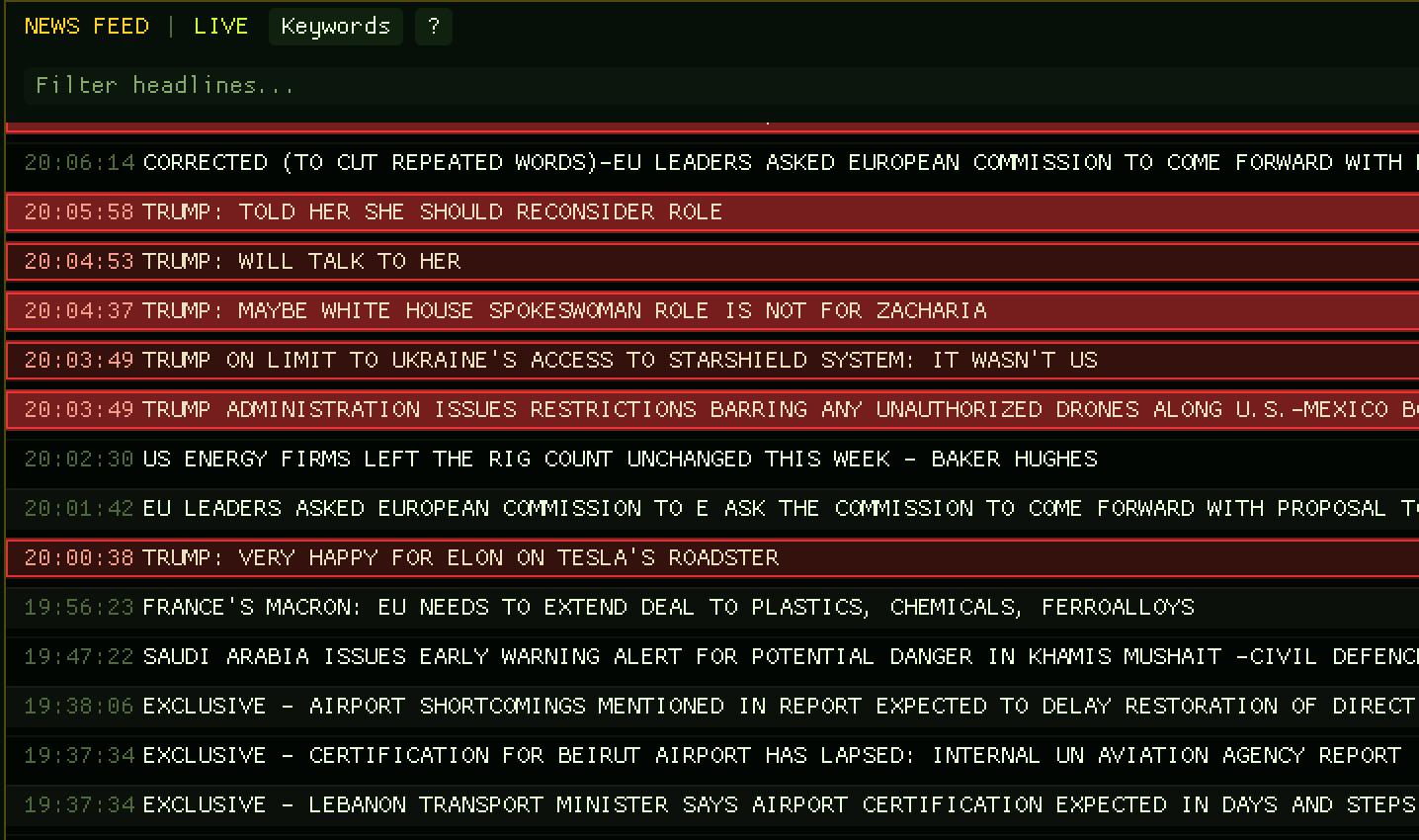
Follow the headlines that matter to you, with keyword alerts while you work in other views.
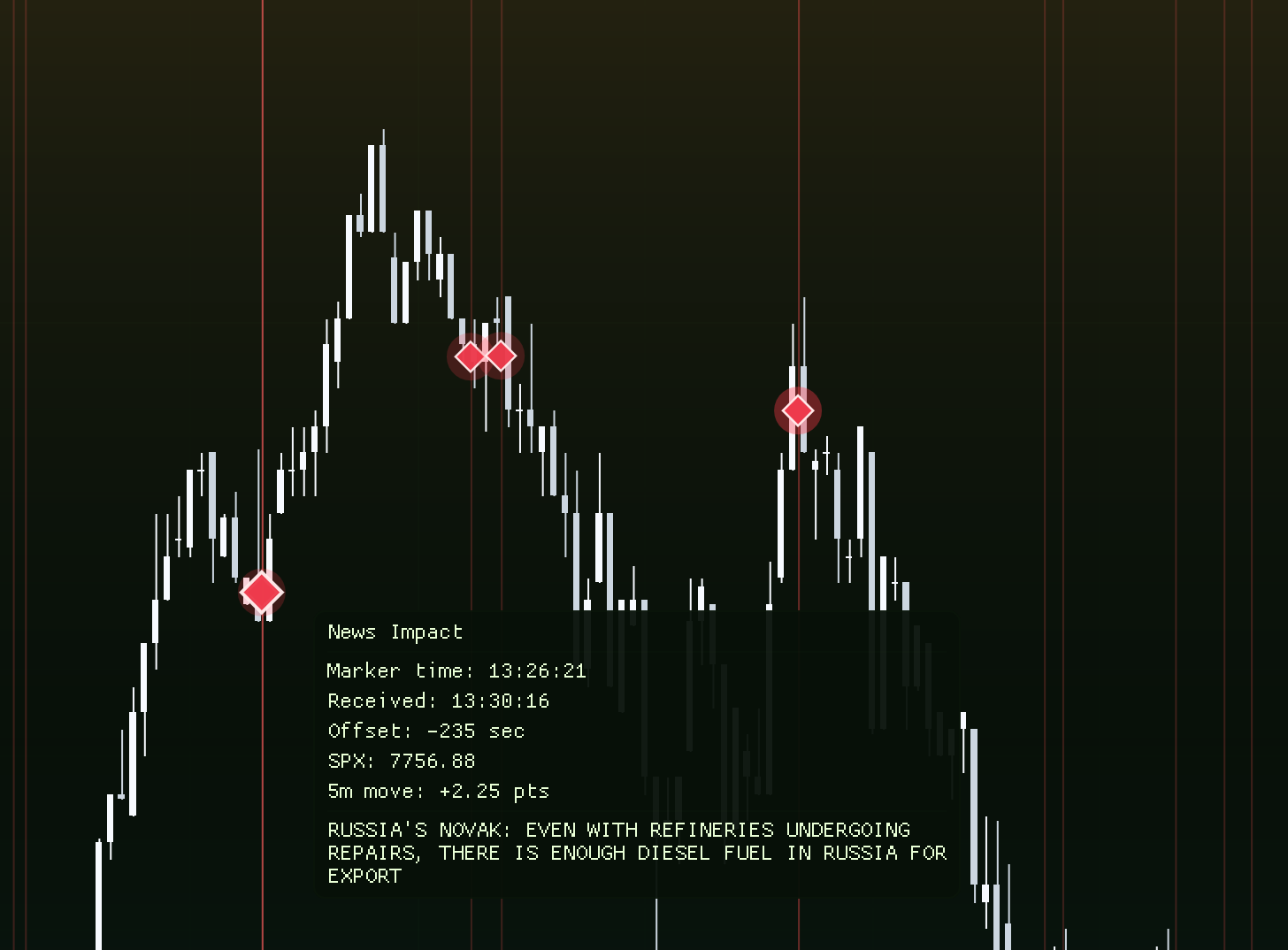
Connect tracked headlines to the SPX chart and review the price moves that followed.
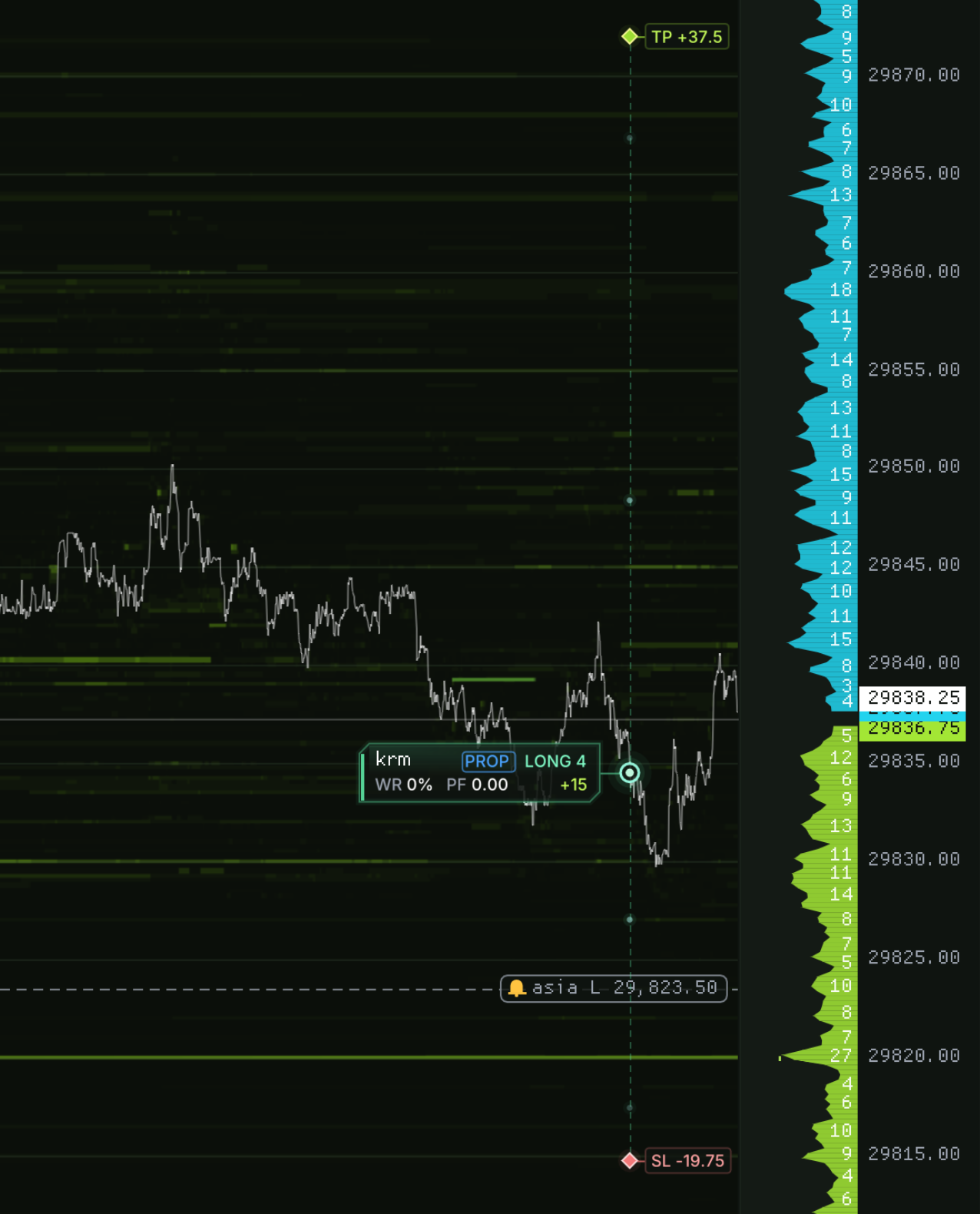
See shared trades in context, with entries, stops, targets and trader stats on Bookmap.
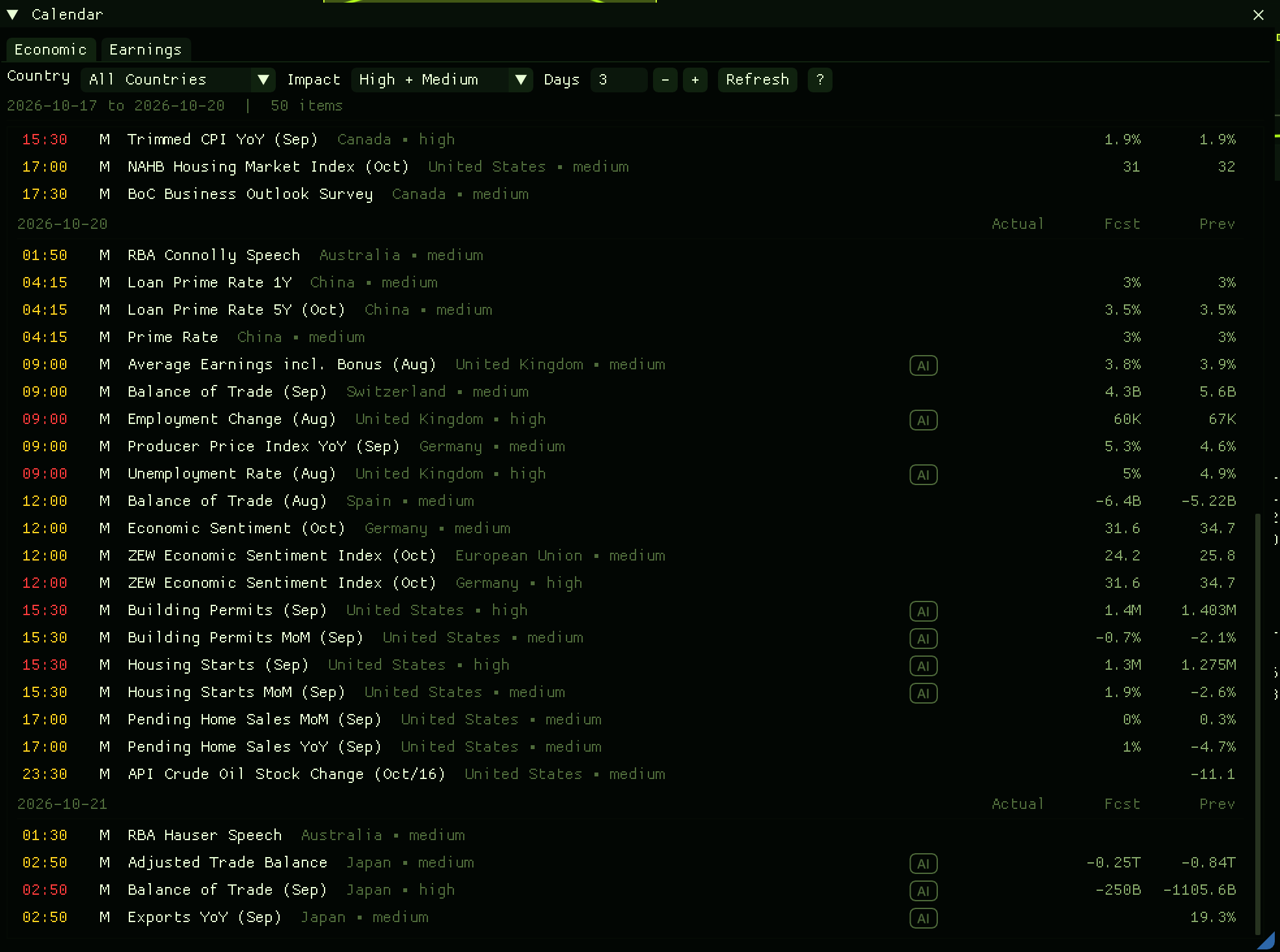
Prepare for economic releases with countdowns, forecasts and actuals in the same calendar.
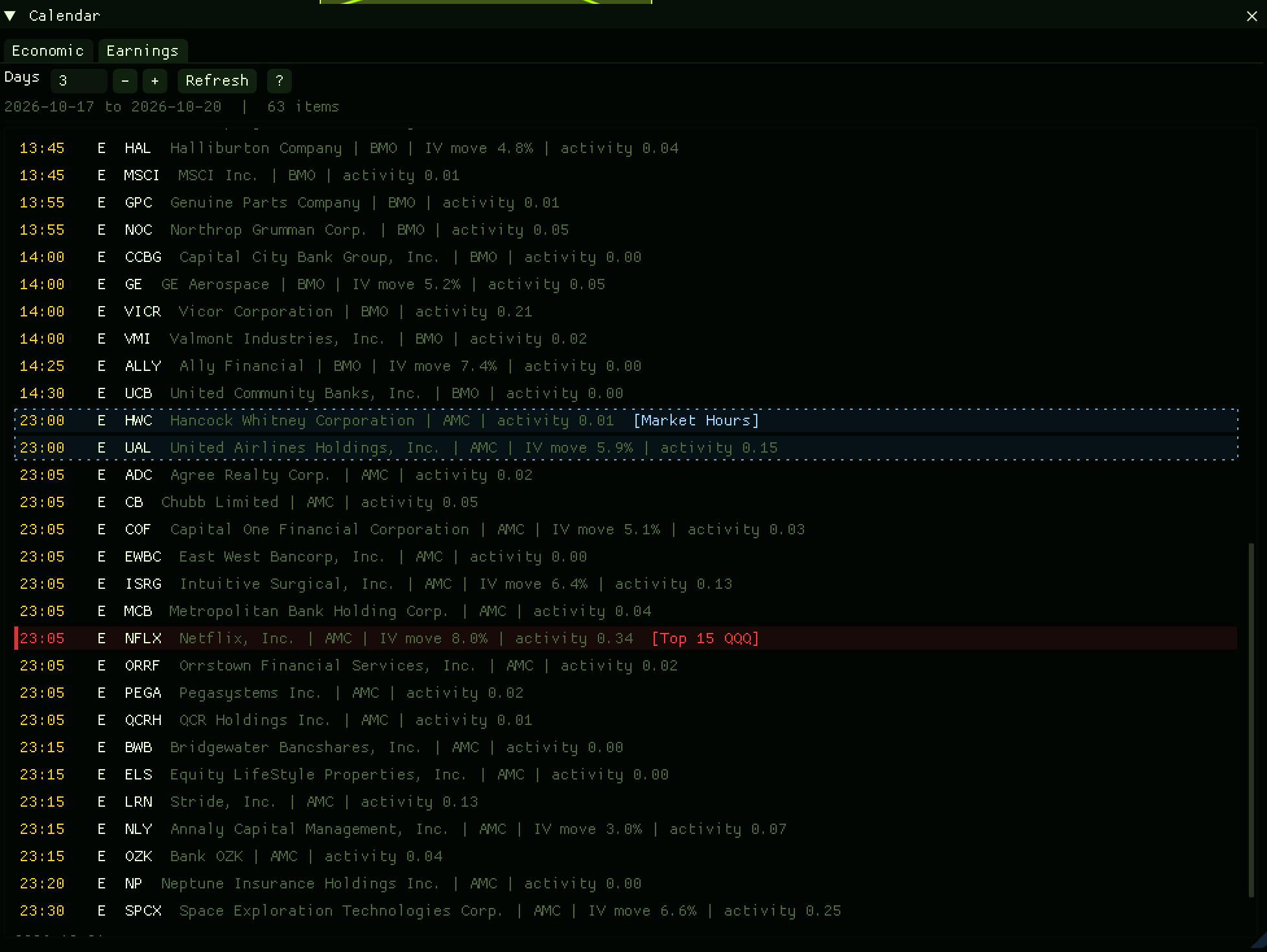
Plan around earnings with report times and options-implied moves where available.
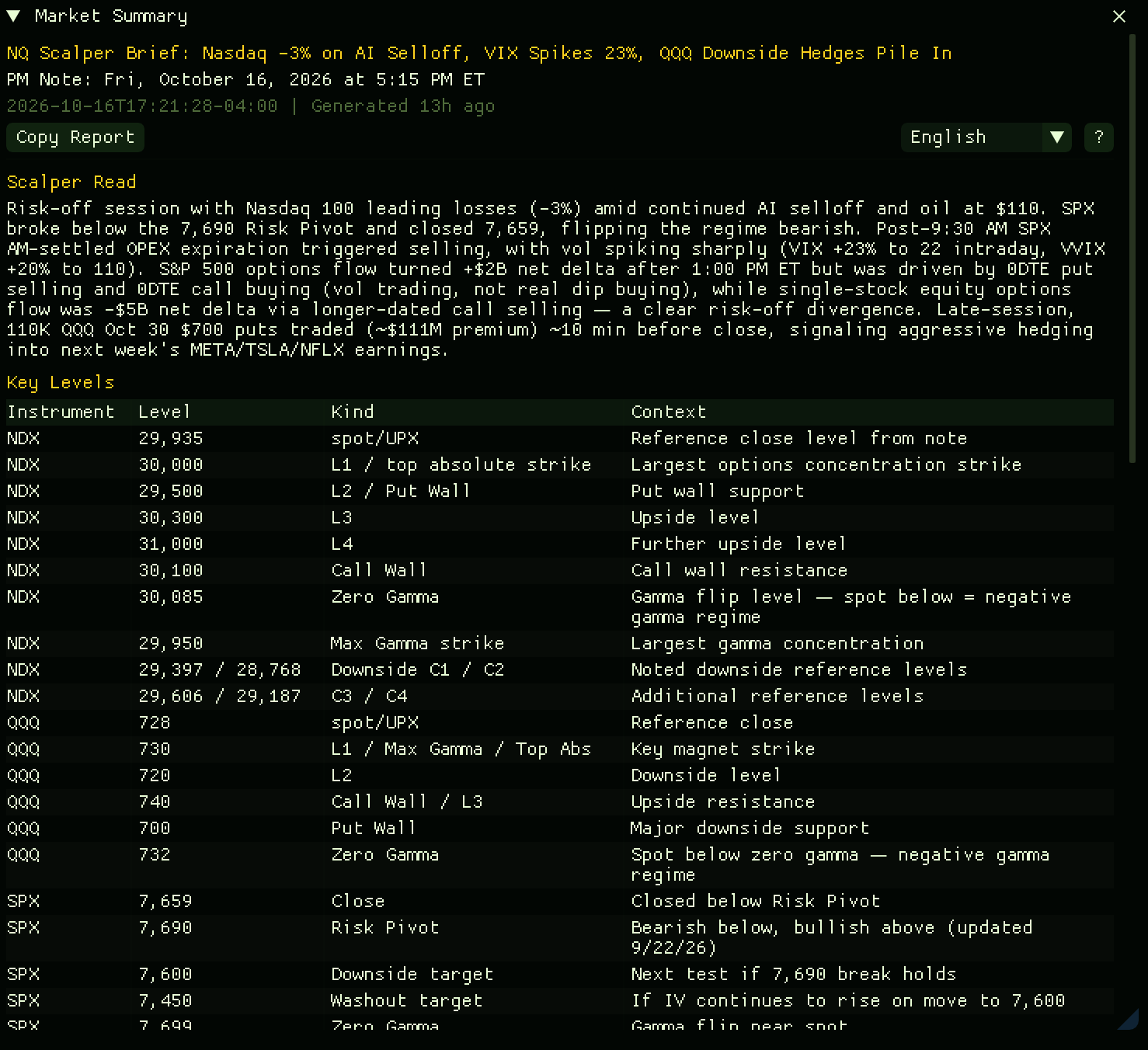
Prepare for the open and recap the close with premarket and post-market reports, key levels and session context.
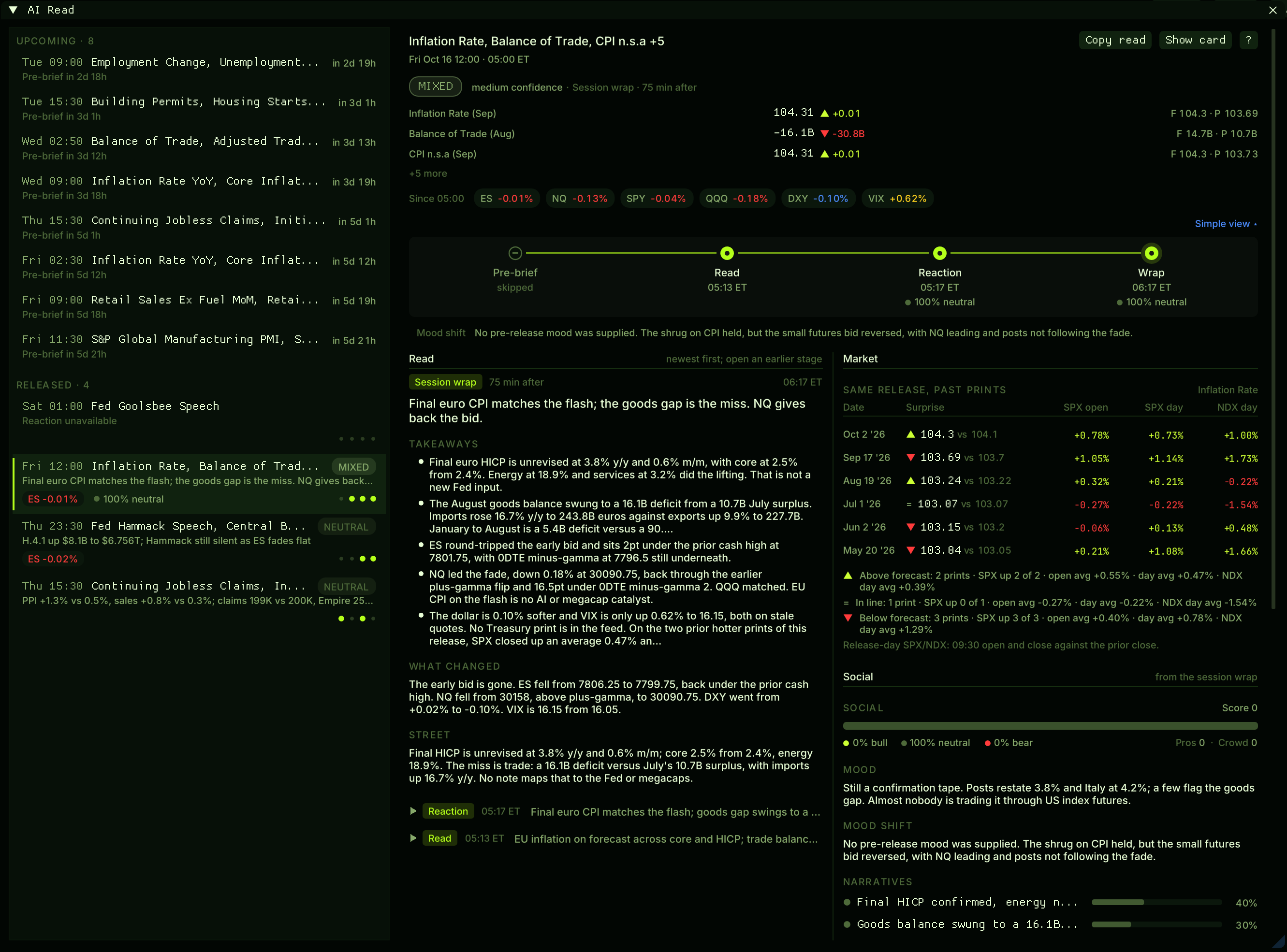
Follow major releases from pre-brief to wrap with AI context, past reactions and scenarios.
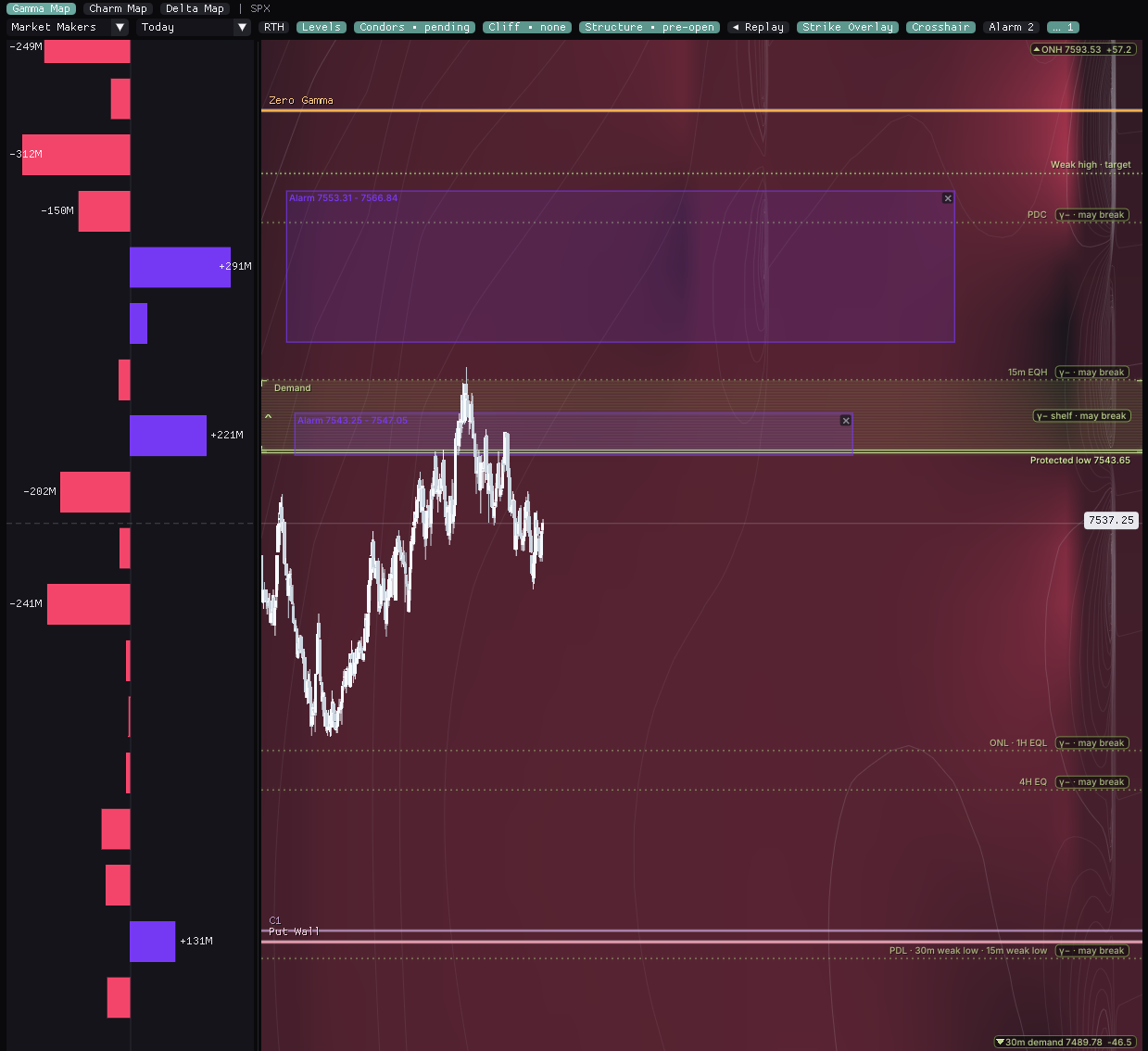
Map dealer exposure across price and time to put SPX moves in gamma context.
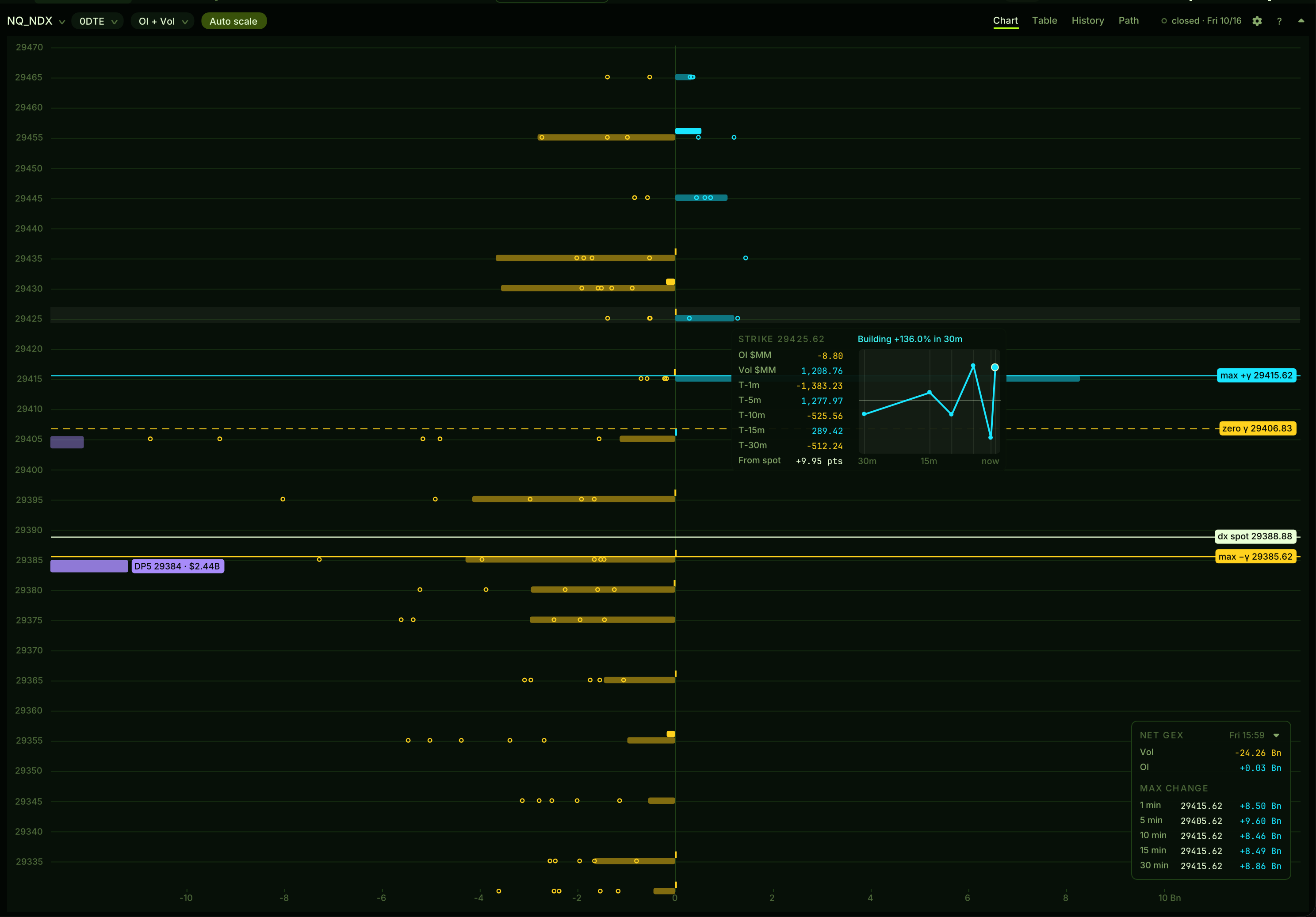
Compare current and earlier gamma exposure by strike to see which levels have changed.
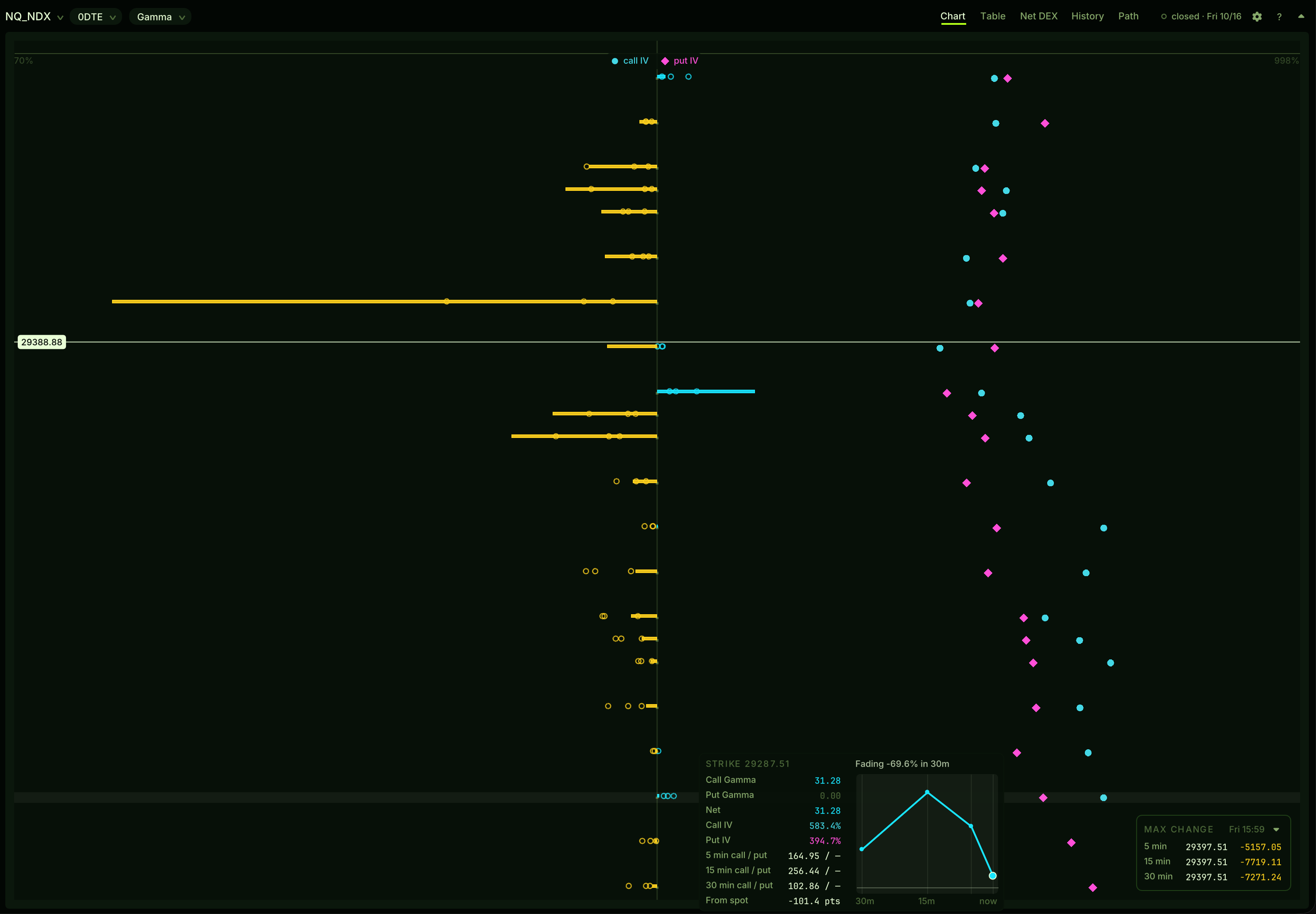
Bring options Greeks and implied volatility together for a closer look at each strike.
Spot cross-market confluence as SPX, NDX, QQQ and SPY test their 0DTE gamma walls.
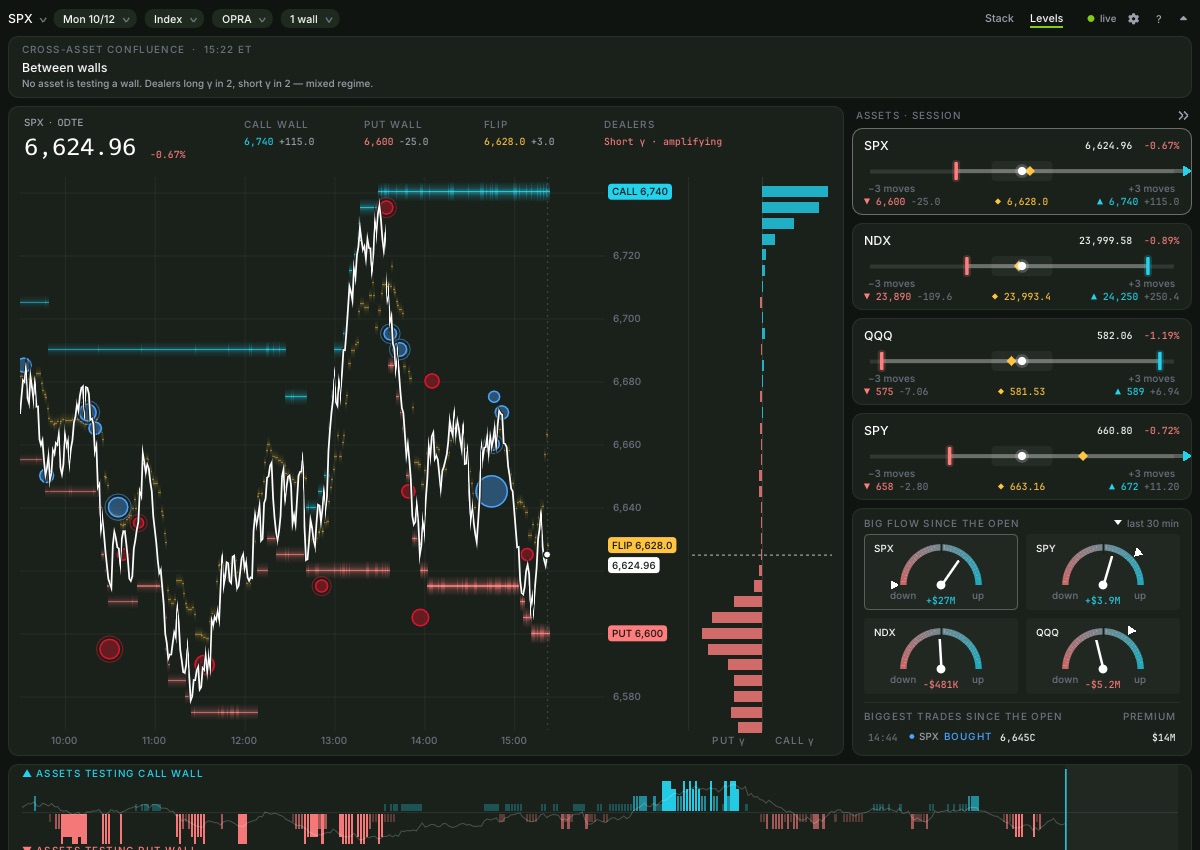
Keep each market’s call wall, put wall and gamma flip in view with corridor cards.
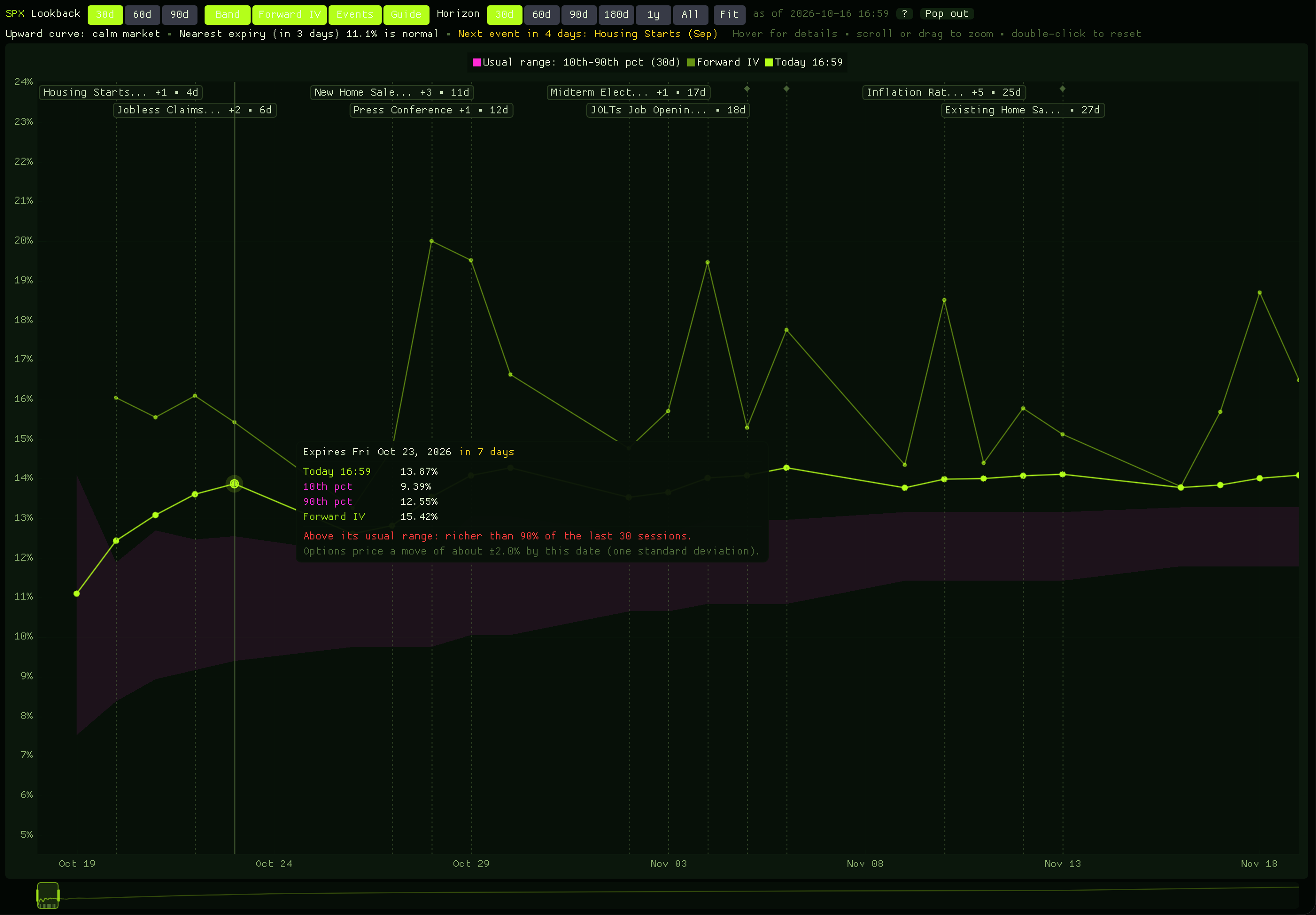
Put SPX volatility pricing in perspective with historical ranges and event markers.
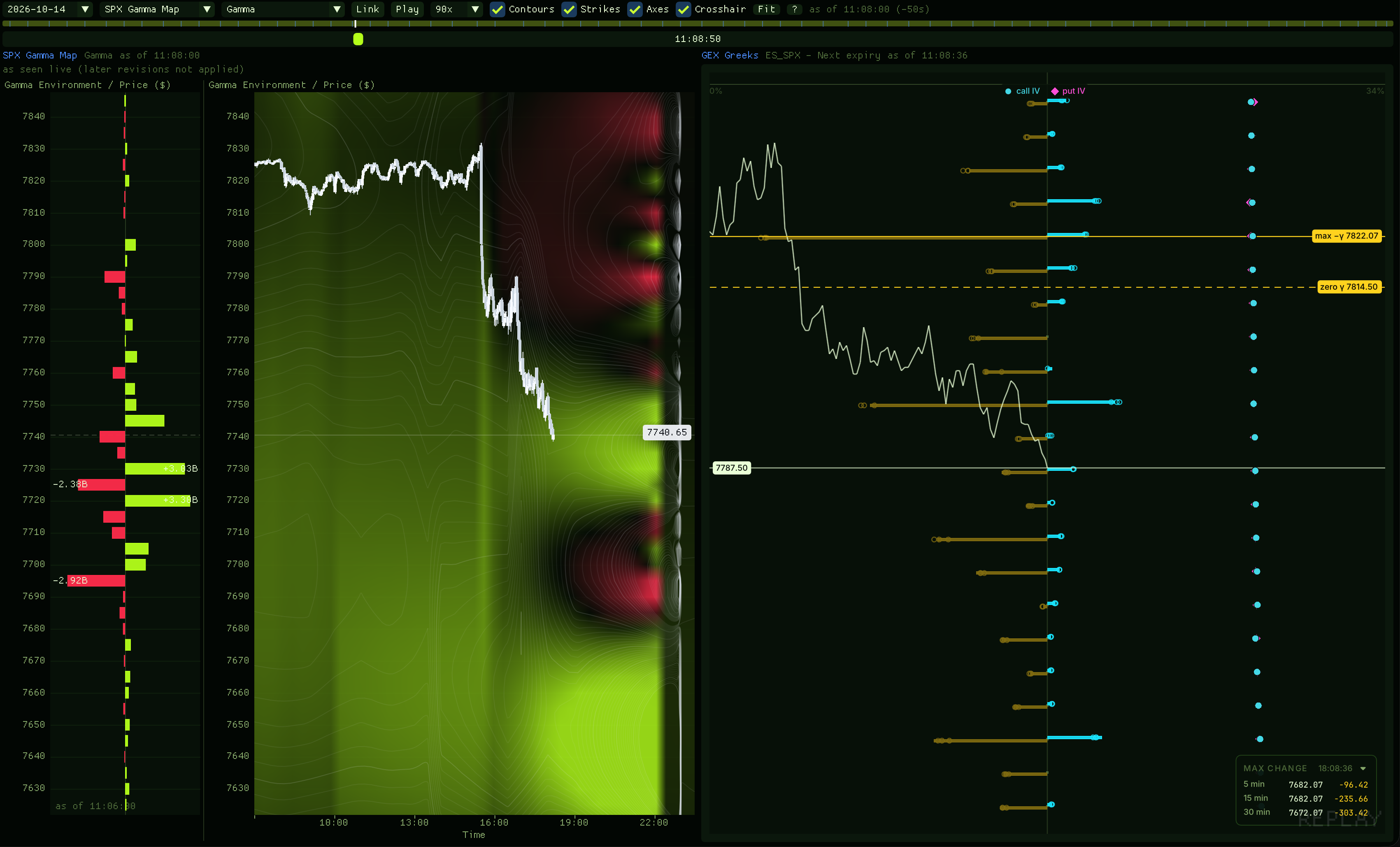
Turn recorded sessions into study time with price and gamma charts replayed in sync.
Follow cumulative call and put delta exposure to see how customer positioning builds.
Follow net gamma exposure alongside spot to compare positioning changes with the price path.
Put convexity shifts in context with spot price and key gamma levels on one chart.
Inspect per-second convexity flow with expiry and size filters to focus your review.
Separate latest- and next-expiry gamma flow to see when options trades add or remove exposure.
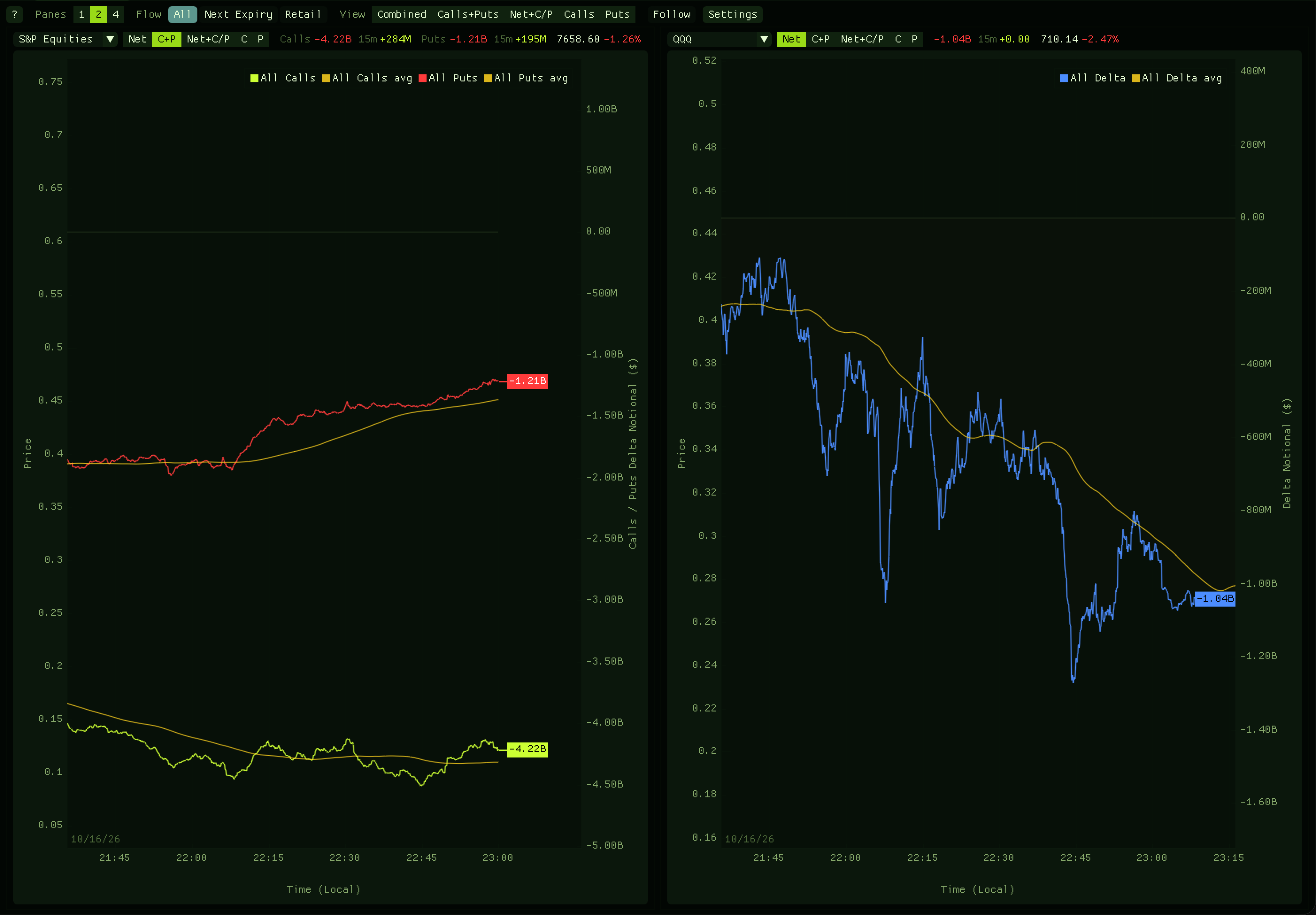
Compare call, put and net options flow side by side, with linked charts for a shared timeline.
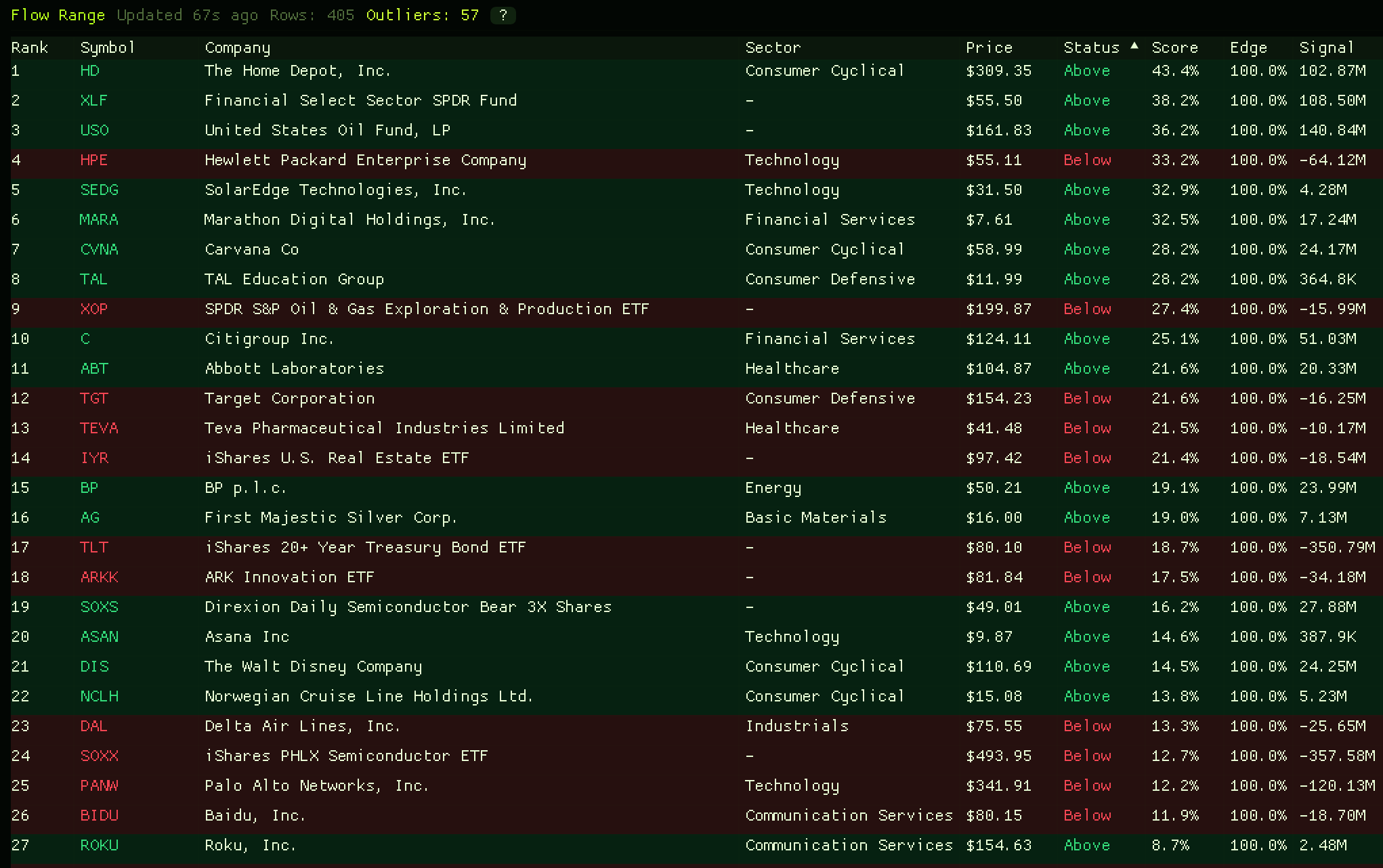
Find flow outliers by comparing each symbol with its recent 20-day options-flow range.
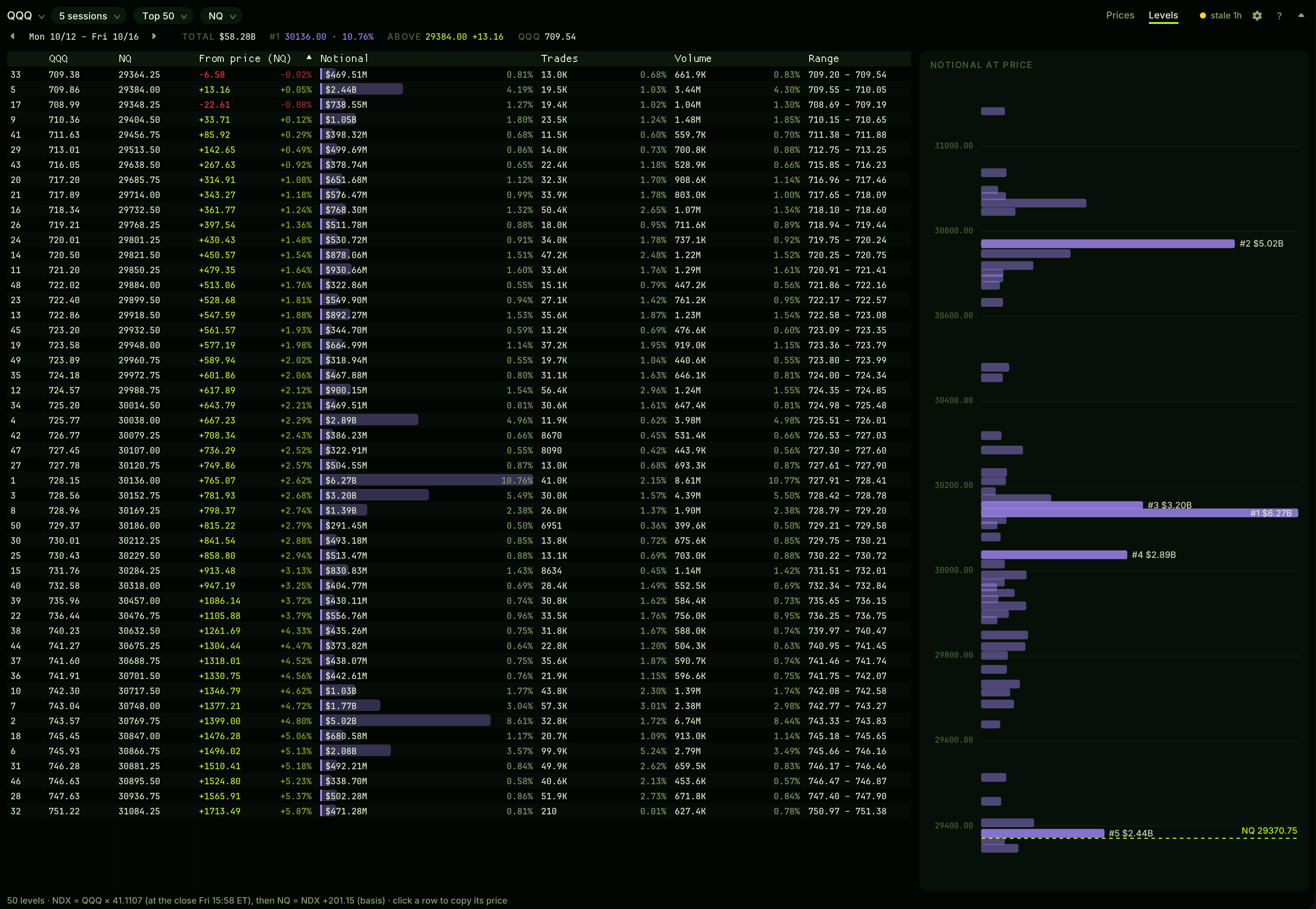
Locate concentrated QQQ and SPY off-exchange trading on a ranked notional-at-price profile.
Group nearby dark pool print prices into levels you can compare with the current market.
Review hours or days of resting ES and NQ liquidity to see how the book changed beyond the moment.
Find the index-options prints you want to study with saved filters and session backfill.
Read individual options prints in a pared-back tape when you want less on-screen detail.
Examine options prints with premium, sweep and block tags, and informedness scores in one view.
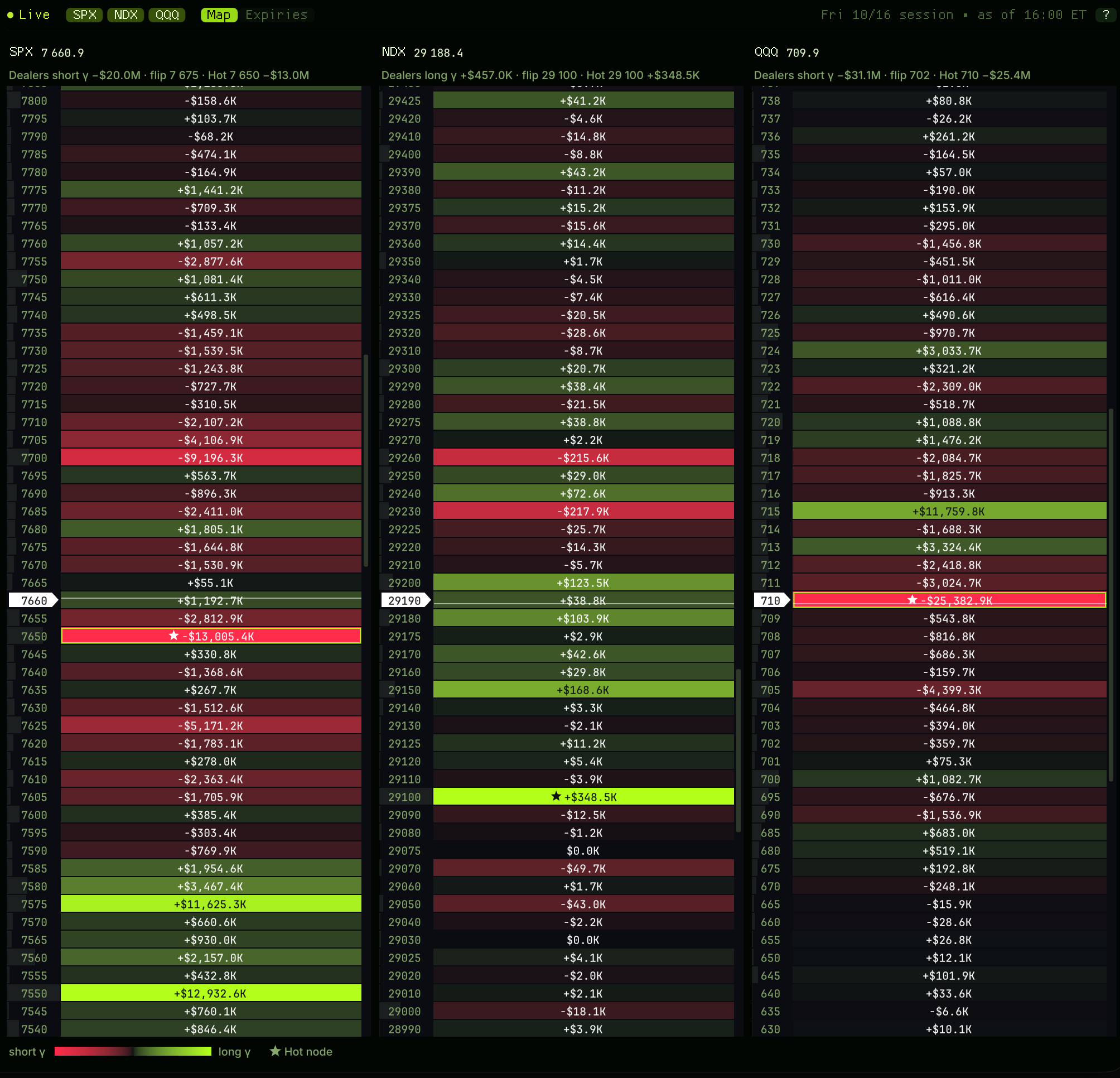
Compare tape-derived dealer gamma by strike and expiry across SPX, NDX and QQQ.
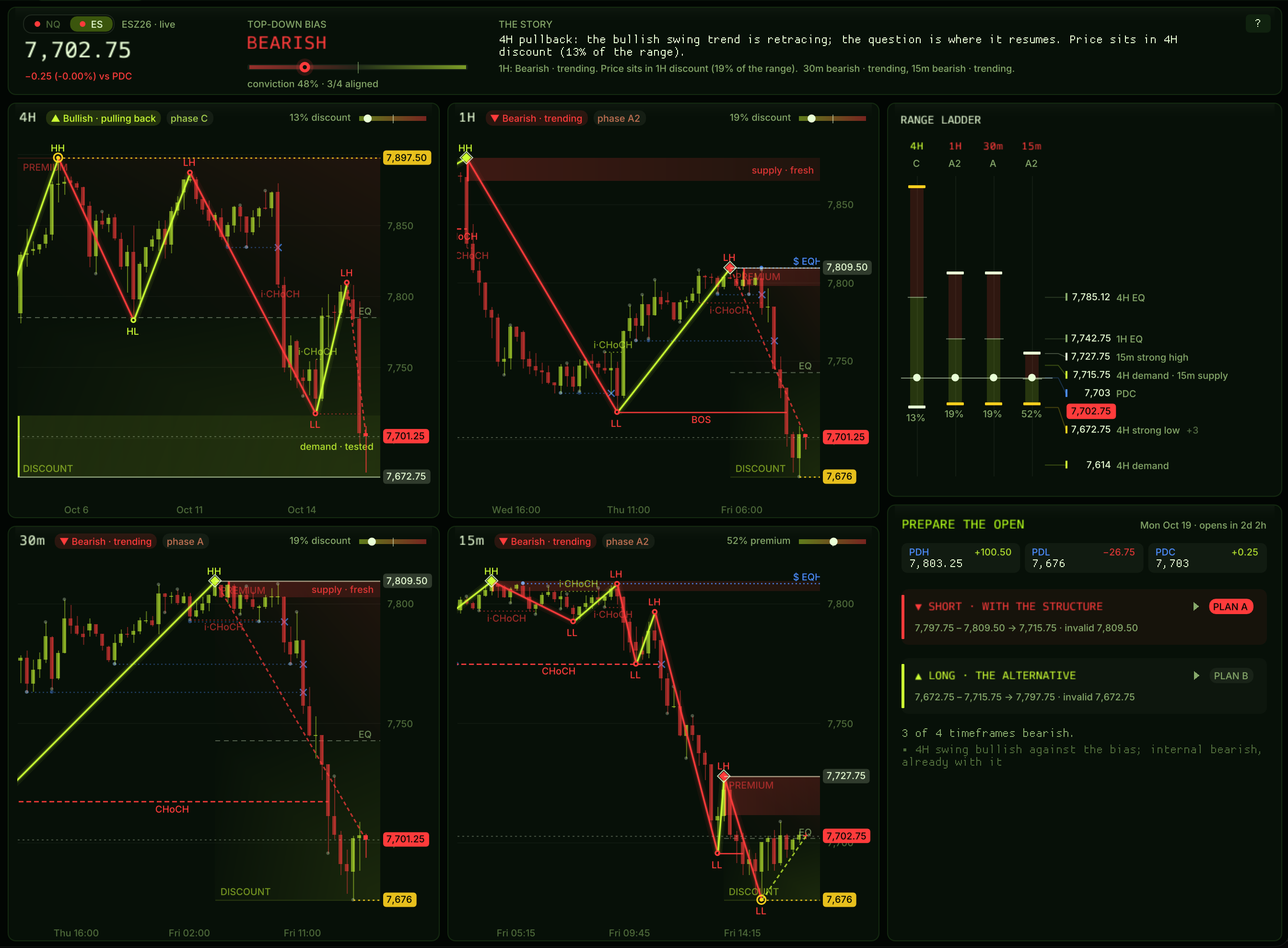
Prepare for the open with ES/NQ structure, key zones and bull/bear scenarios across four timeframes.
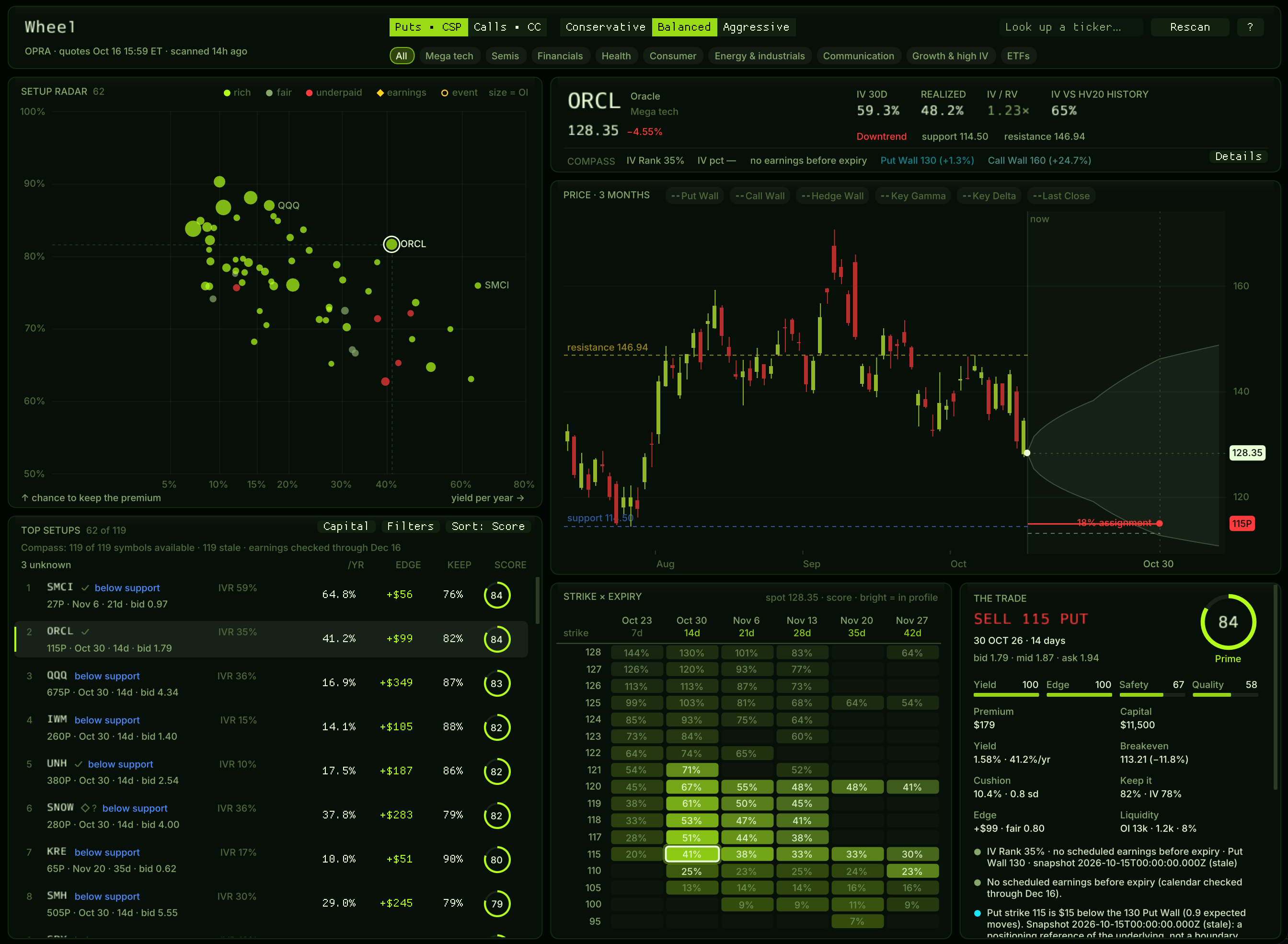
Shortlist cash-secured puts and covered calls, then review capital needs and trade details.
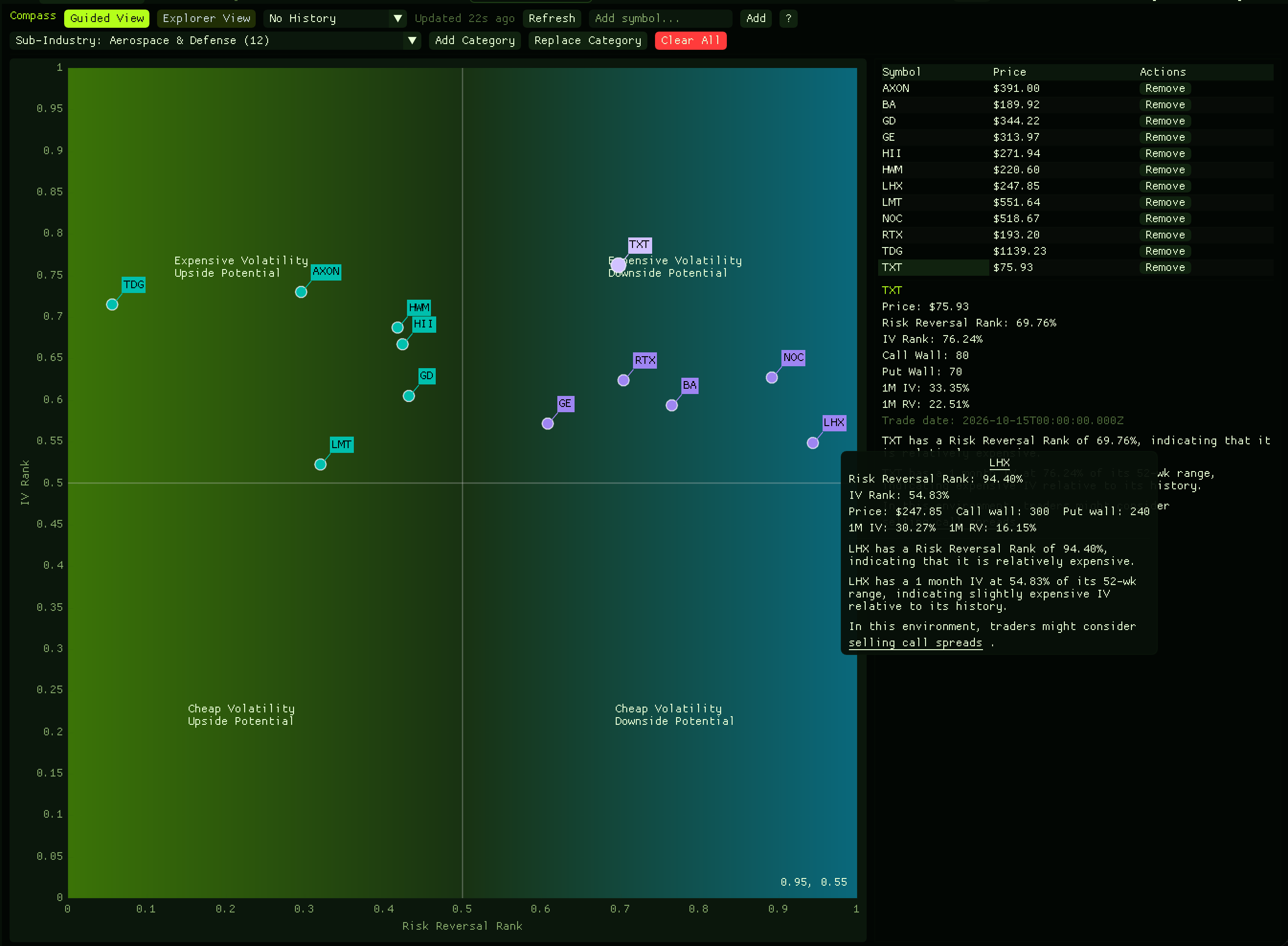
Find volatility and skew outliers across your watchlist to focus your next options review.
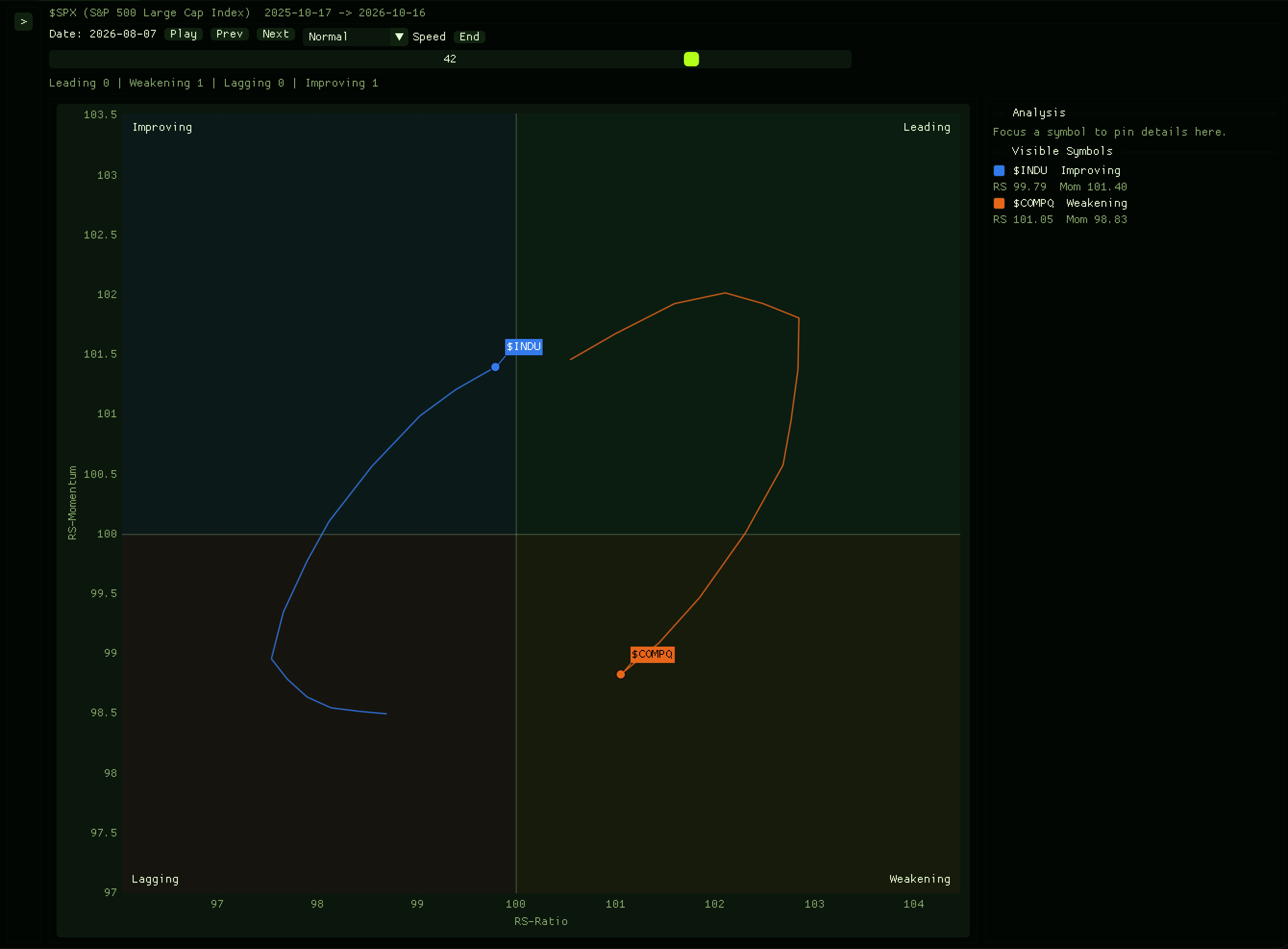
See which symbols lead or lag your benchmark and how their relative momentum shifts.
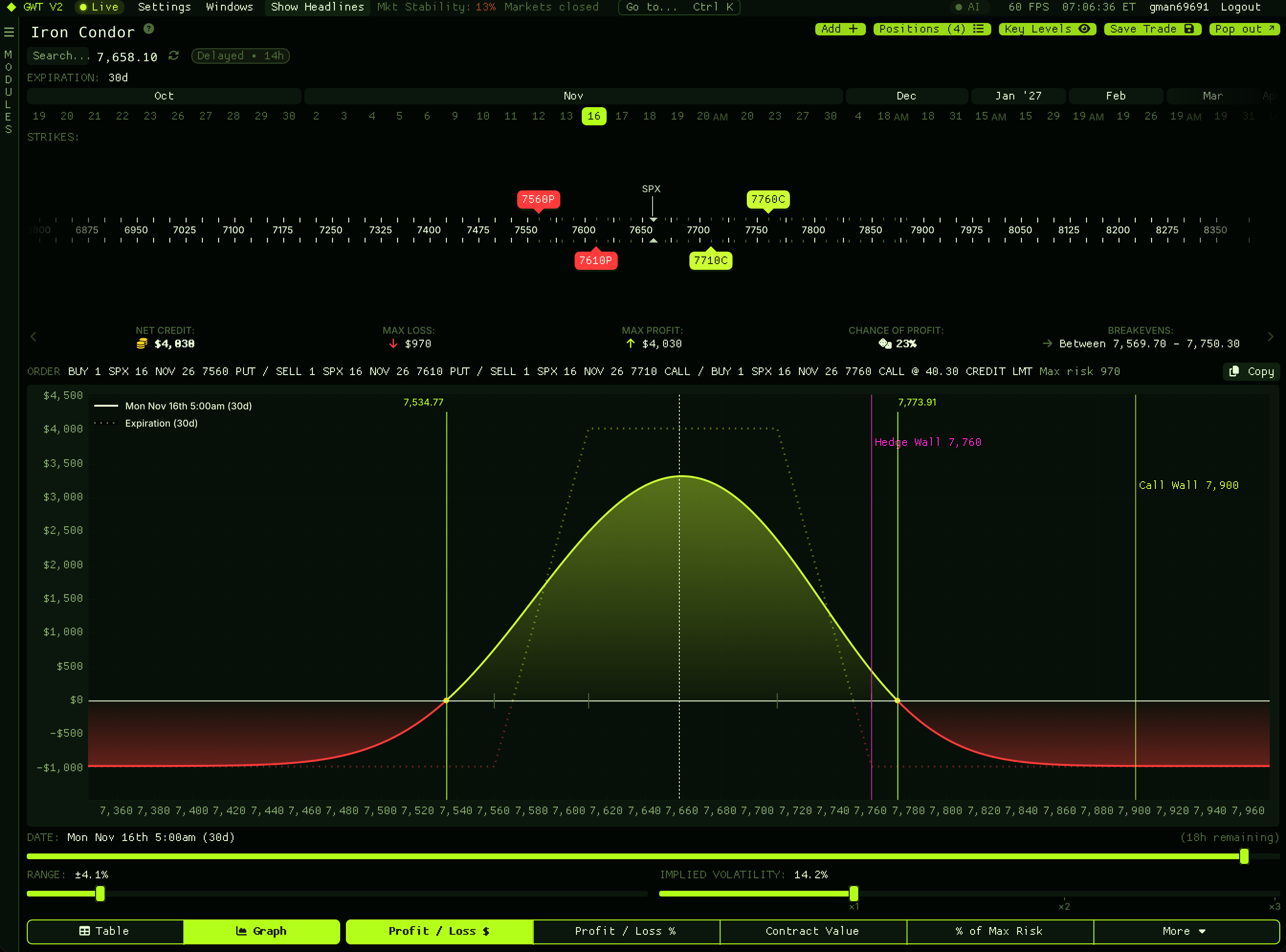
Explore an options setup before committing with modeled payoffs, Greeks and gamma levels.
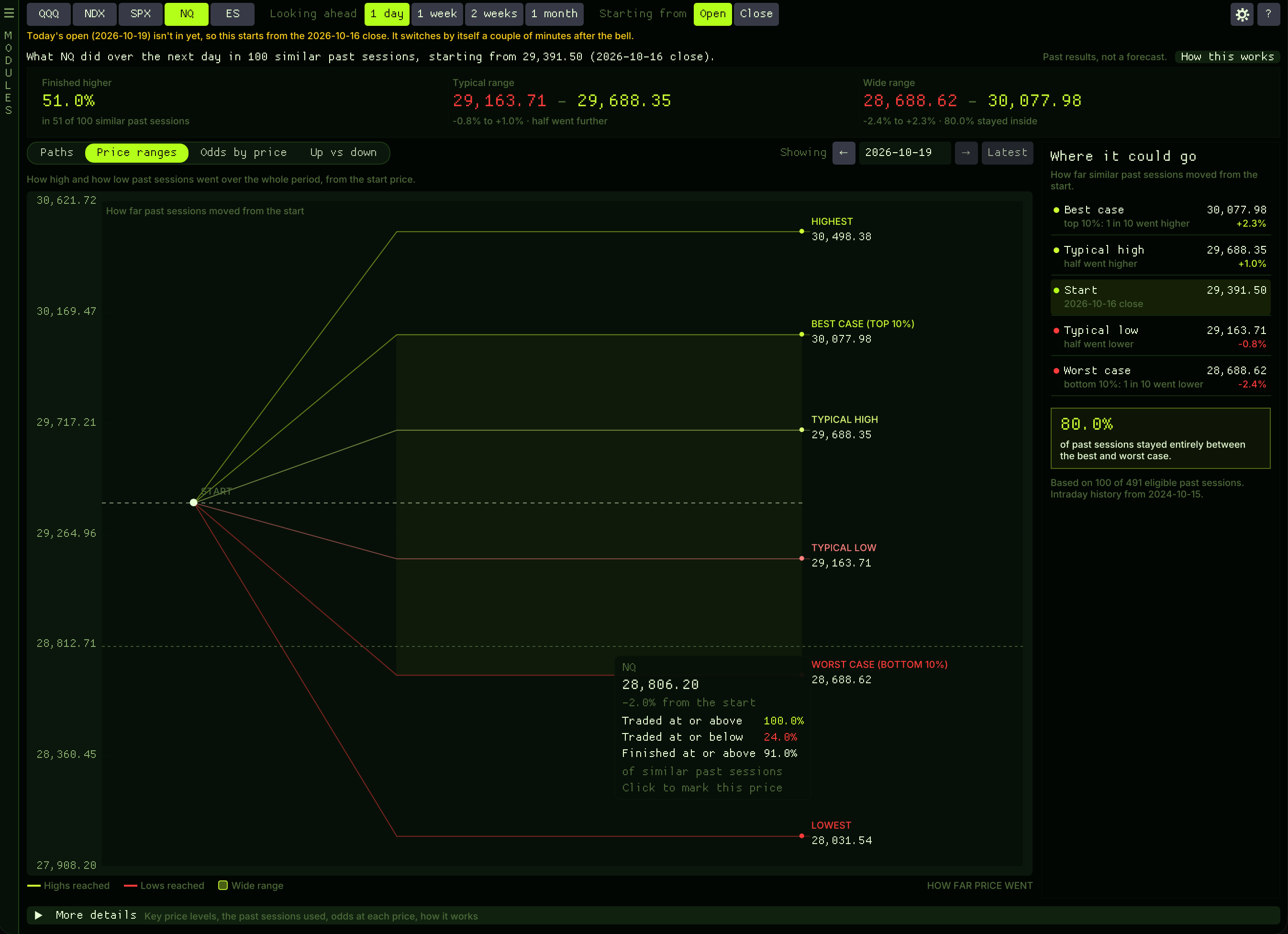
Explore what followed similar past sessions, with historical paths, ranges and outcome frequencies.
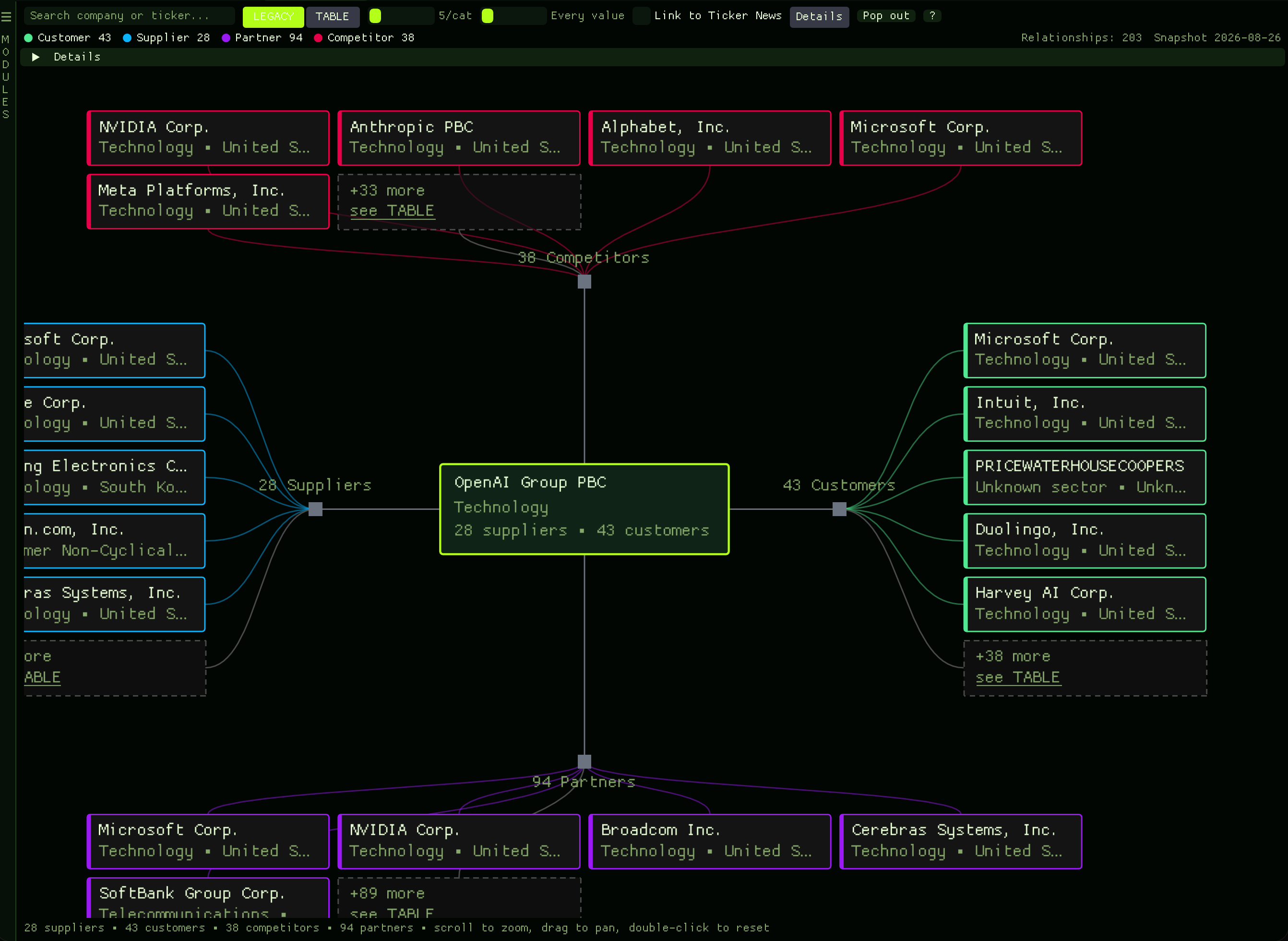
Follow the business behind a ticker through an interactive map of company relationships.
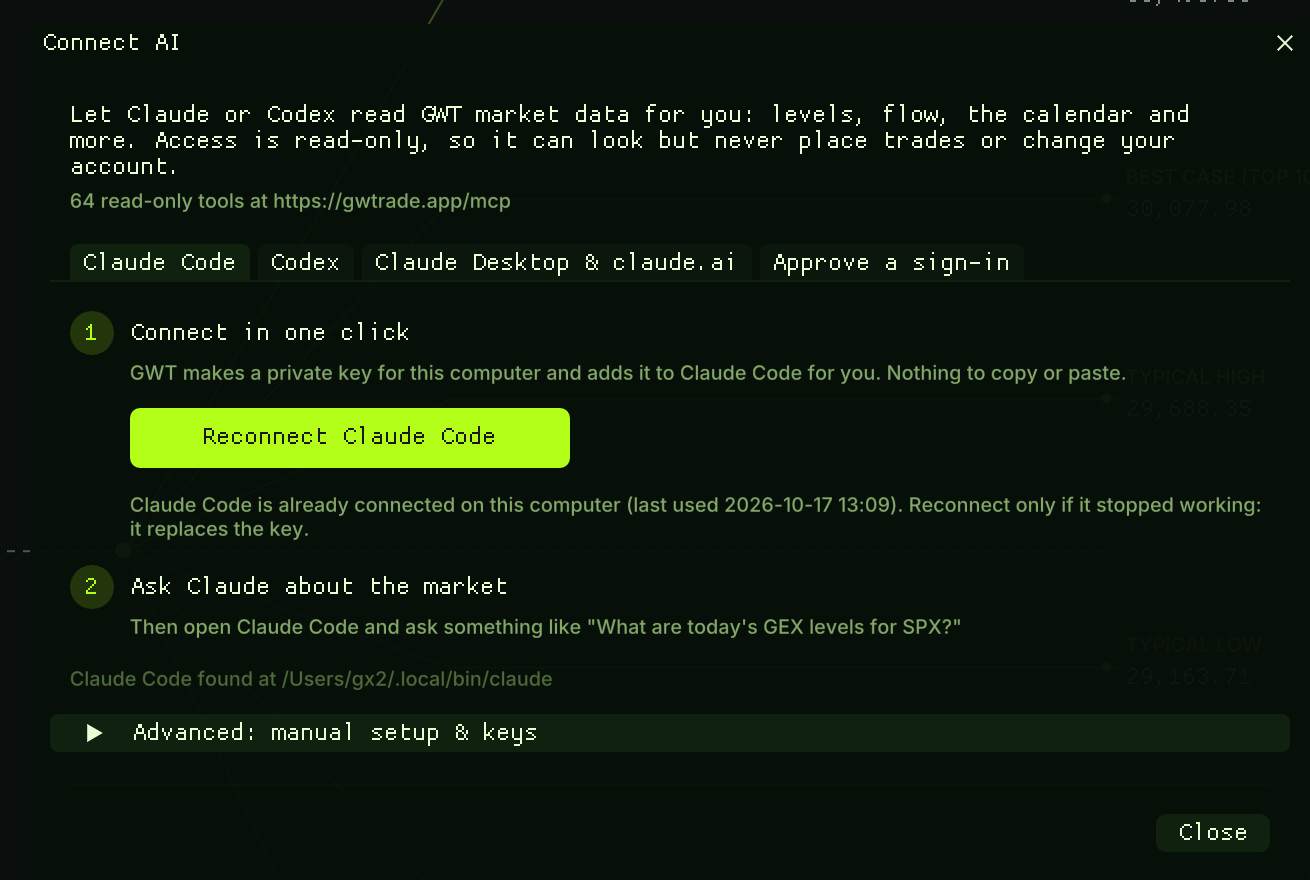
Give Claude or Codex market context with read-only access to GWT data through MCP.
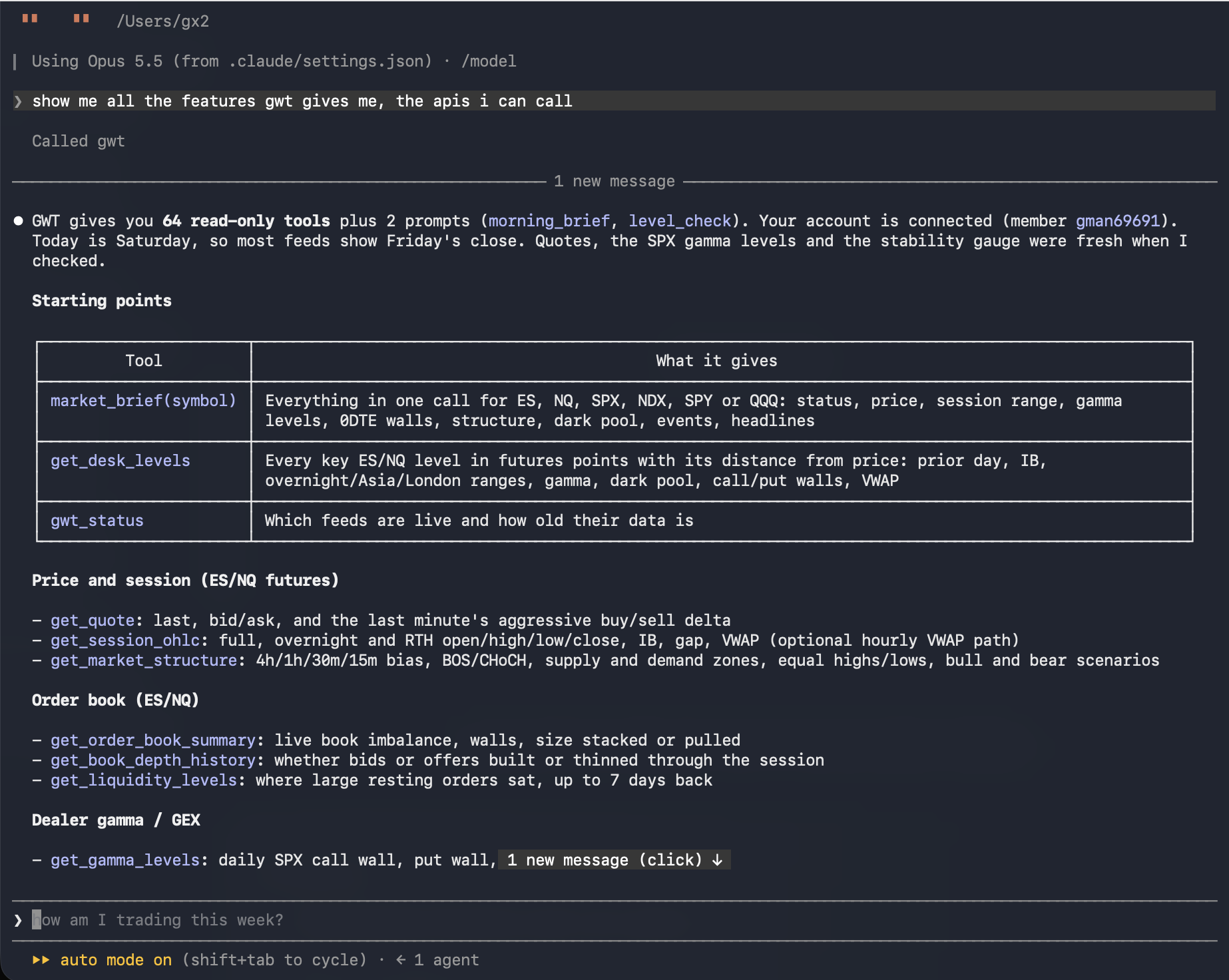
Bring GWT market data into your own research tools with API requests and live streams.
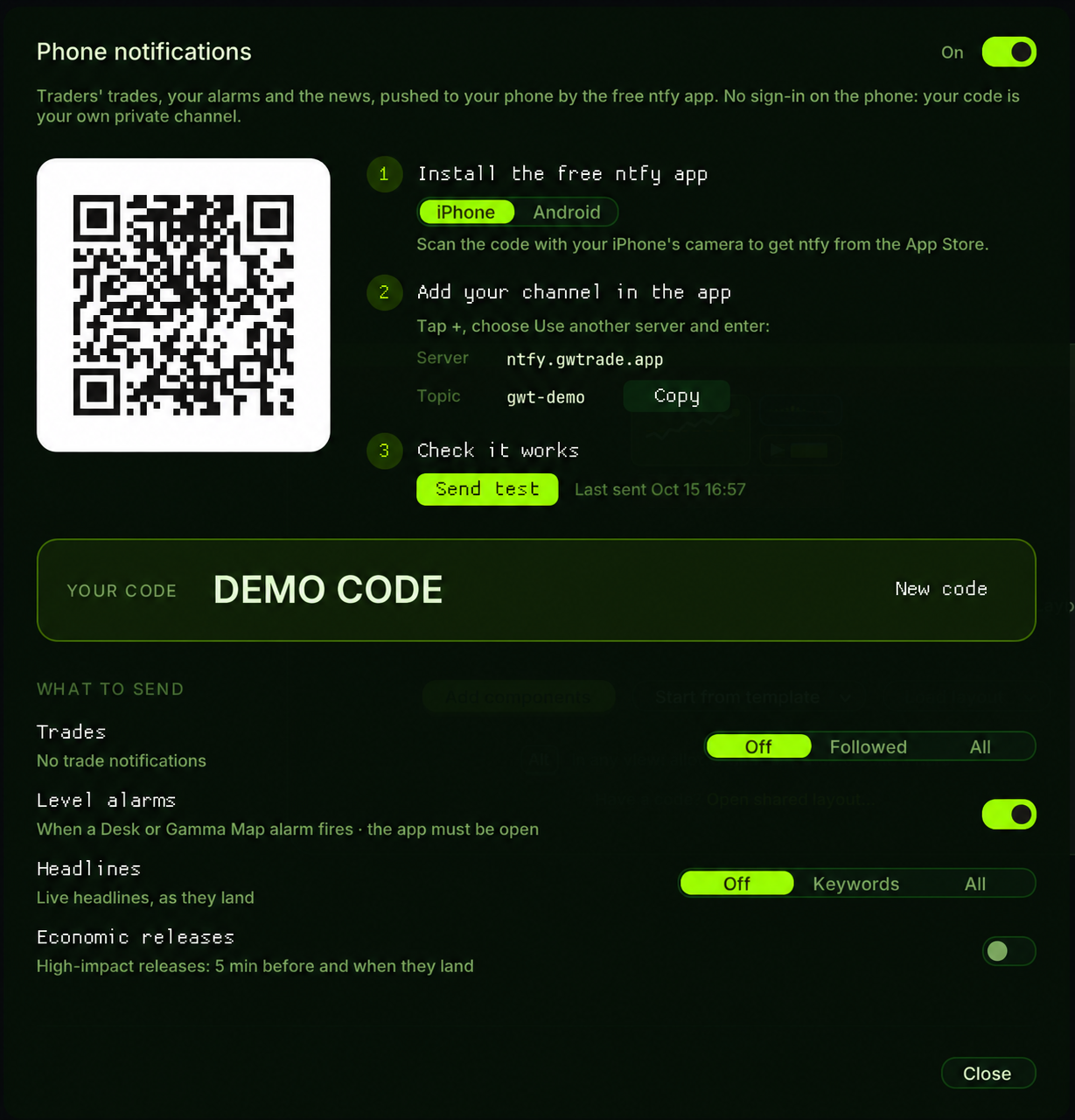
Choose the trades, headlines and economic releases you want delivered to your phone.
Bring GWT tools to your ATAS workspace with one installer for all six indicators.
Connect your ATAS trades to the community by sharing orders, fills and positions.
Add positioning context to your NQ/MNQ chart with ranked gamma and open-interest levels.
Compare regular-hours, extended-hours and London VWAPs directly on your ATAS chart.
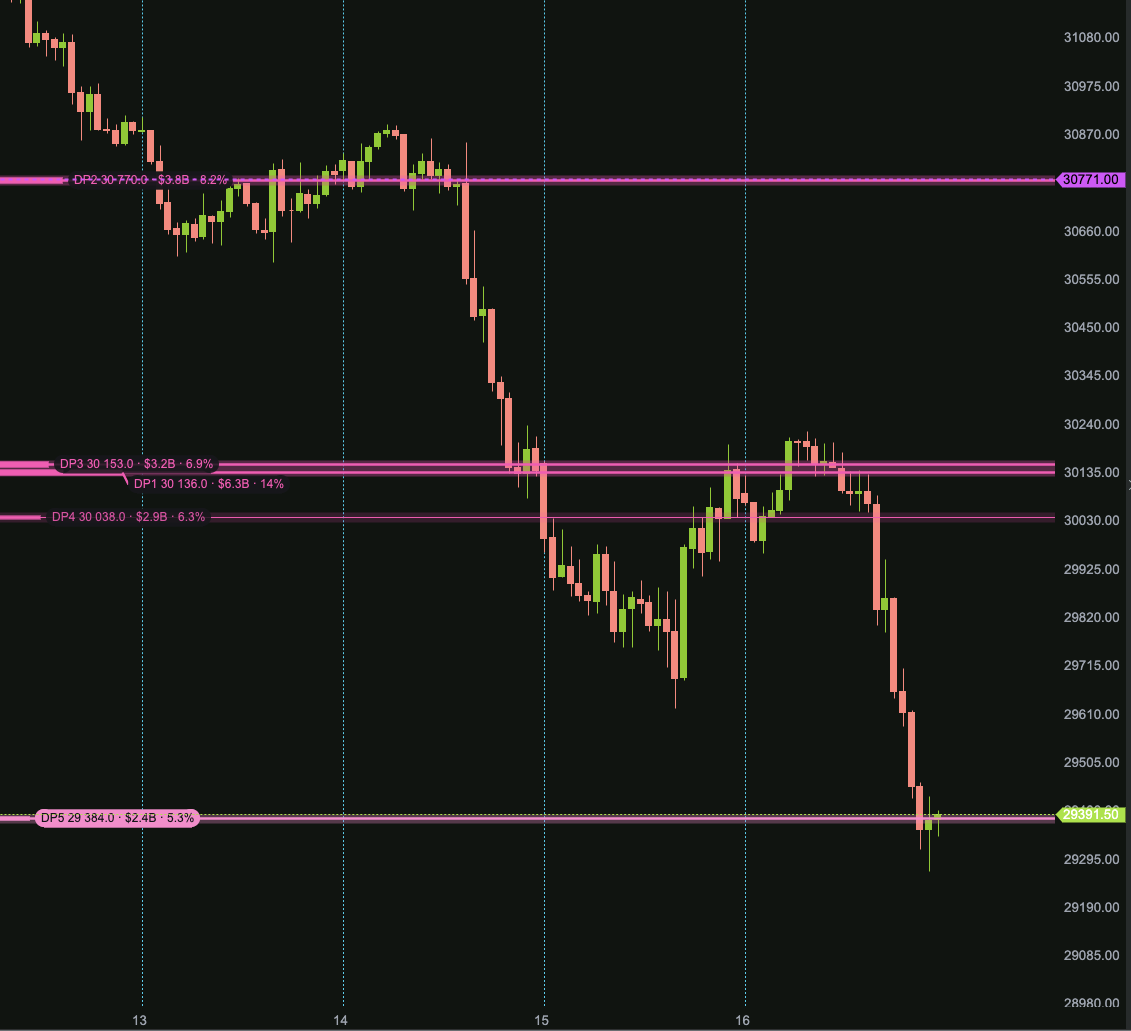
Keep dark pool context on your ATAS chart with automatically imported ranked levels.
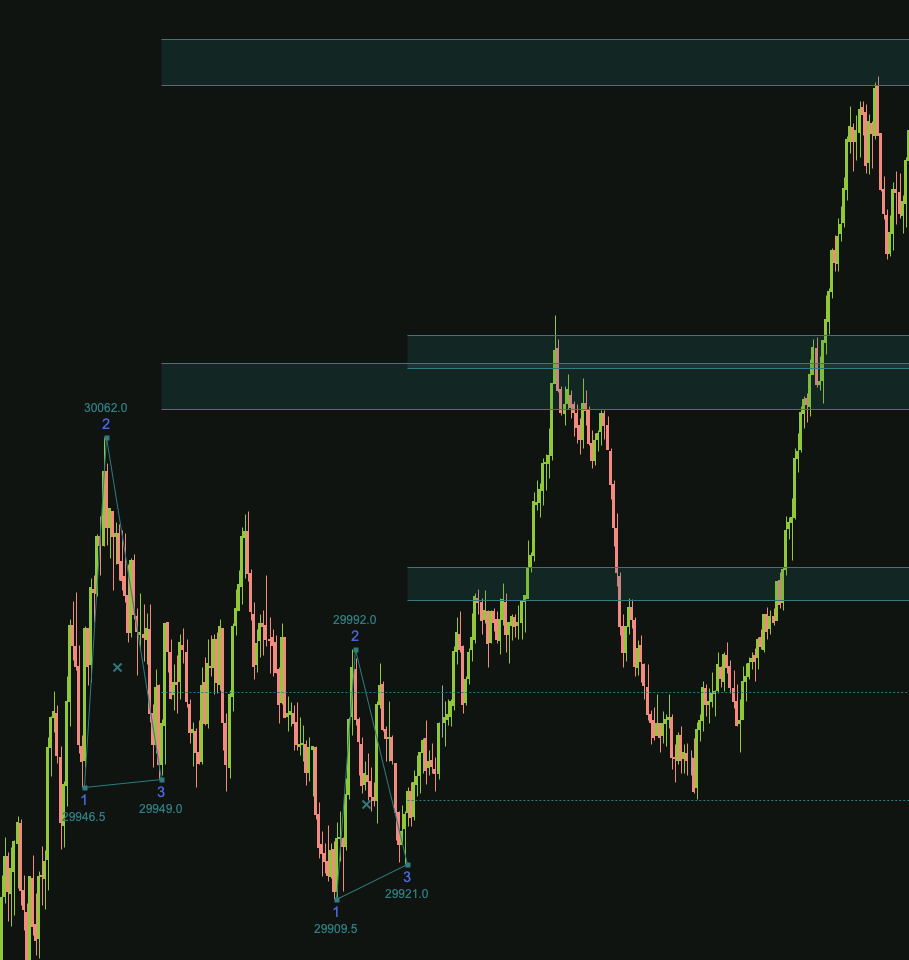
Draw a three-point Gann triangle on your ATAS chart to explore its projected target zones.
Mark support and resistance zones from qualifying delta and volume streaks on your ATAS chart.
Work in another view while saved level alarms bring price touches back to your attention.
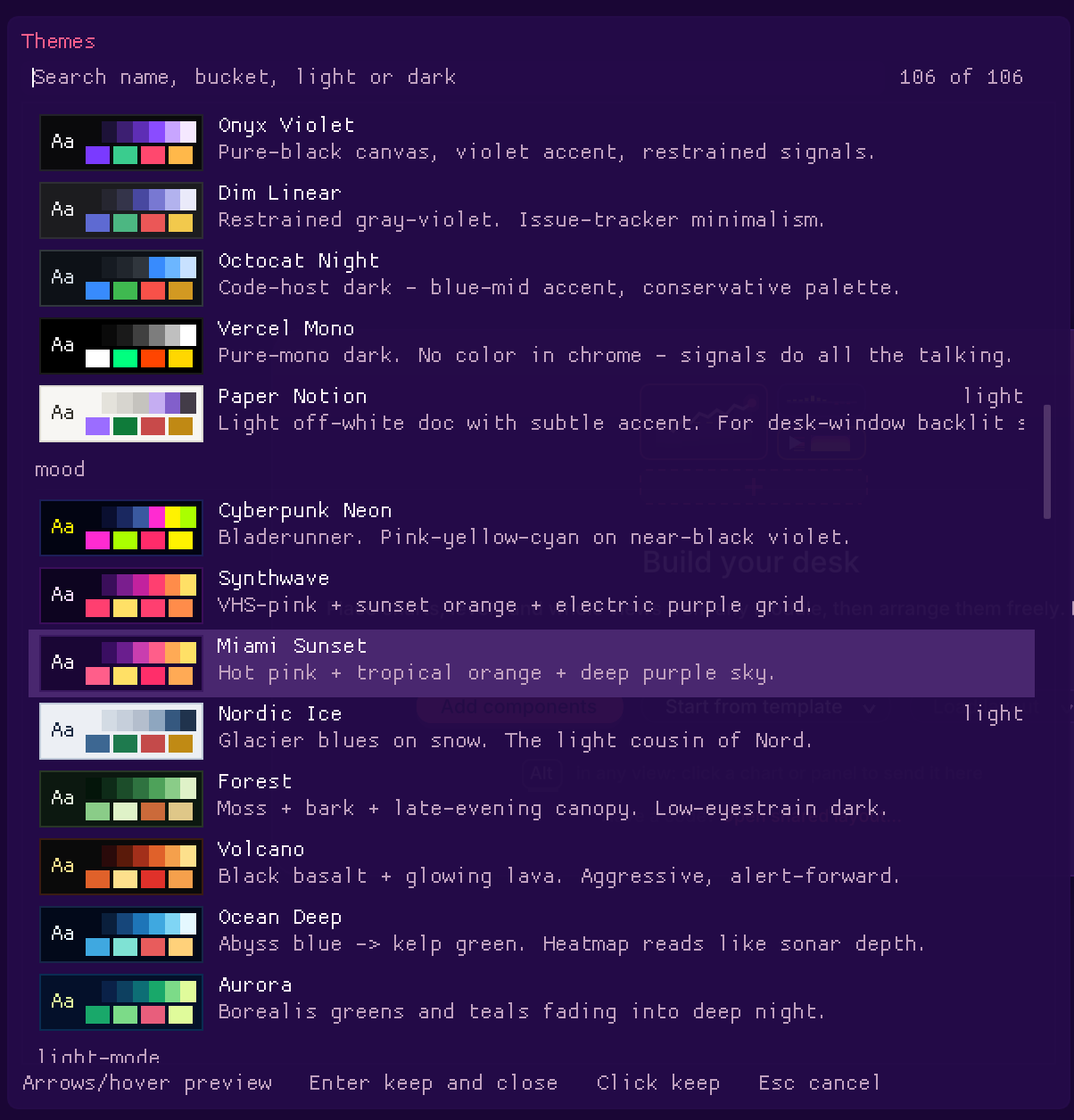
Make the terminal your own with light and dark themes and custom chart palettes.
Make dense charts easier to read with adjustable text, interface size and spacing.
Keep your workflow in view with quick tool switching and detachable floating windows.
Exchange layouts and options setups by code, with workspace previews before you apply.
Build a recognizable community presence with a shared nickname and linked Discord account.
Stay current with update notices and built-in guides, with logs ready when you need support.
Plans include all features, data, and updates.
Prices in USD. Subscriptions renew automatically; you can cancel anytime and keep access for the period you've paid for.
After checkout, your access token appears on the confirmation page and arrives by email. Download the app and paste it in to sign in.
The current desktop app is GWT V2.
Version 1.0.132 · Released 24 November 2026
Tahoe or newer · 48 MB
Apple Silicon only. Unzip the download and move the app to Applications. The build is unsigned; follow the Mac install guide for the first-launch security prompt.
SHA-256
db58d1b288460a8eaa795898a124c214ebb2d169583a64b81c5840342d2bb382Ventura, Sonoma or Sequoia · 21 MB
Apple Silicon only, including M1 Max. Tested on Ventura 13.7. Unzip and move GWT V2 Ventura.app to Applications. It receives updates for this build. Follow the Mac install guide for the first-launch security prompt.
SHA-256
bee8d210a22bd72c117b435339589b6a6ca1abb406cab489abf6469b84396049Windows 10 or 11 · OpenGL 3 · 70 MB
64-bit Windows with OpenGL 3 graphics drivers. Extract the whole ZIP before opening the app. The build is unsigned; see the Windows install guide for the SmartScreen prompt.
SHA-256
cccf25c8e8eed8bb3d1a60f27944149c70a9e77c560fb60b6bdc119f27993720glibc 2.38+ · OpenGL 3 · 124 MB
64-bit Linux, glibc 2.38+, OpenGL 3, and X11 or XWayland. Ubuntu 24.04, Mint 22, Debian 13, or Fedora 40 and newer. See the Linux install guide.
SHA-256
4e052b5228202ab769d407f474ae42e6ebb8e261f08476c10e3587de2662b6ddGWT is a native desktop app for macOS, Windows, and Linux. The old browser version has been retired. Download the app and sign in with your access token. There is no phone or tablet app.
GWT is analytics and visualization software. It helps you read the market; you place trades through your broker. Its data and tools are for information, not financial advice.
Email info@glenworld.io from the address you paid with, before your next billing date. Cancelling stops future billing. Payments already made are generally non-refundable; see the refund policy.
Check your purchase confirmation page or search your inbox for the email from gwtrade.app. A new token can take up to a minute to activate. If you can’t find it, email info@glenworld.io from the address you used to pay.
Questions about the app, your setup, or your subscription? Come say hello.